Software for repair shops. From check-in at the counter to payment at handover.
Phone, laptop, coffee machine or drill, whatever you repair. ANANAS checks in the device with photos and the customer’s signature, sends the quote for approval, tracks the parcel, takes the payment and records it in the till. And the customer checks what is happening with their device themselves, so they don’t call you every two days ;)

Meet the crew in shades.
Every part of ANANAS has its own name, so everyone in the office knows what you mean: “send it through PACT”, “the client has it in JUICE”, “ping me on MIX”.






Sounds familiar?
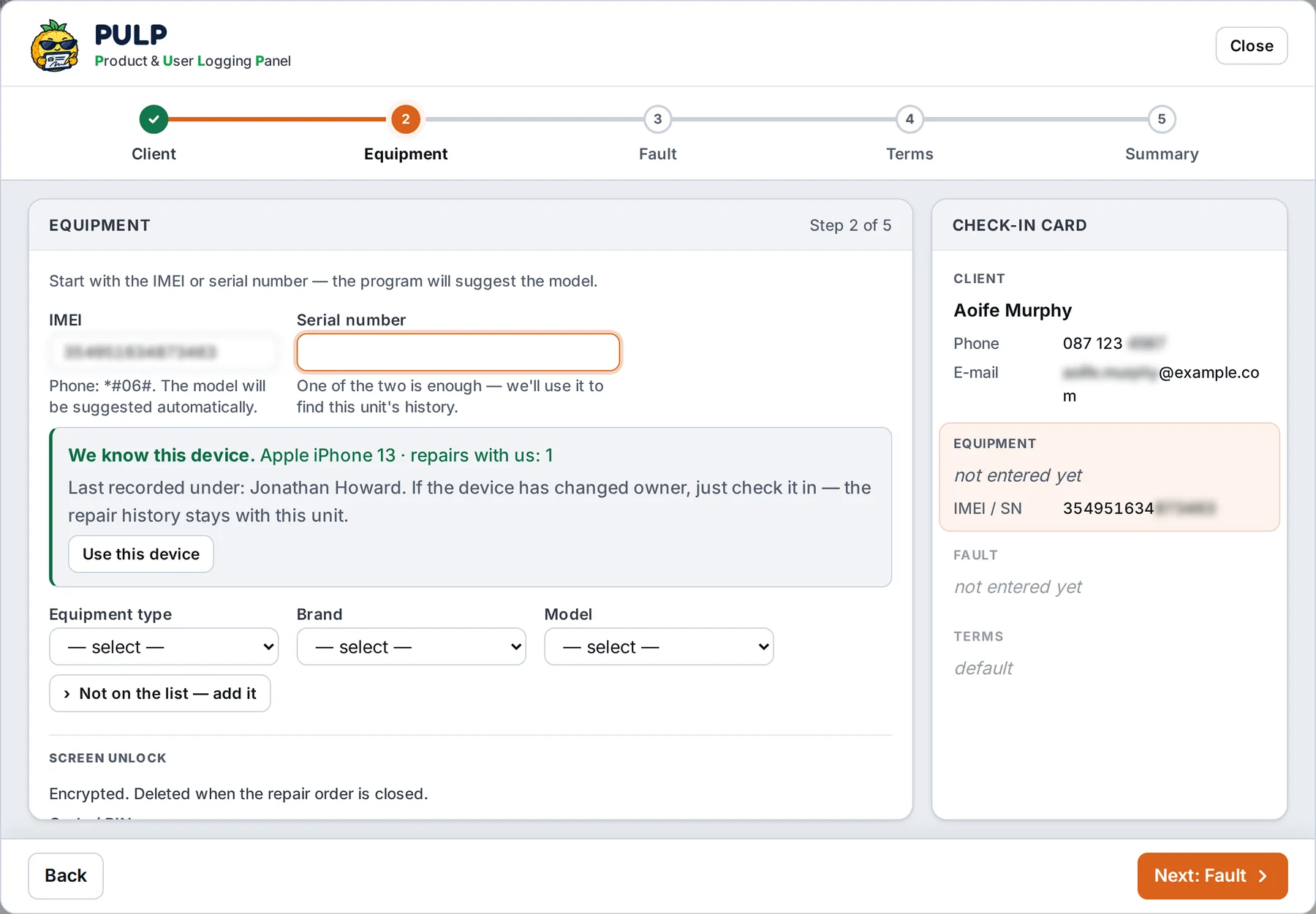
Device check-in with photos and the customer’s signature.
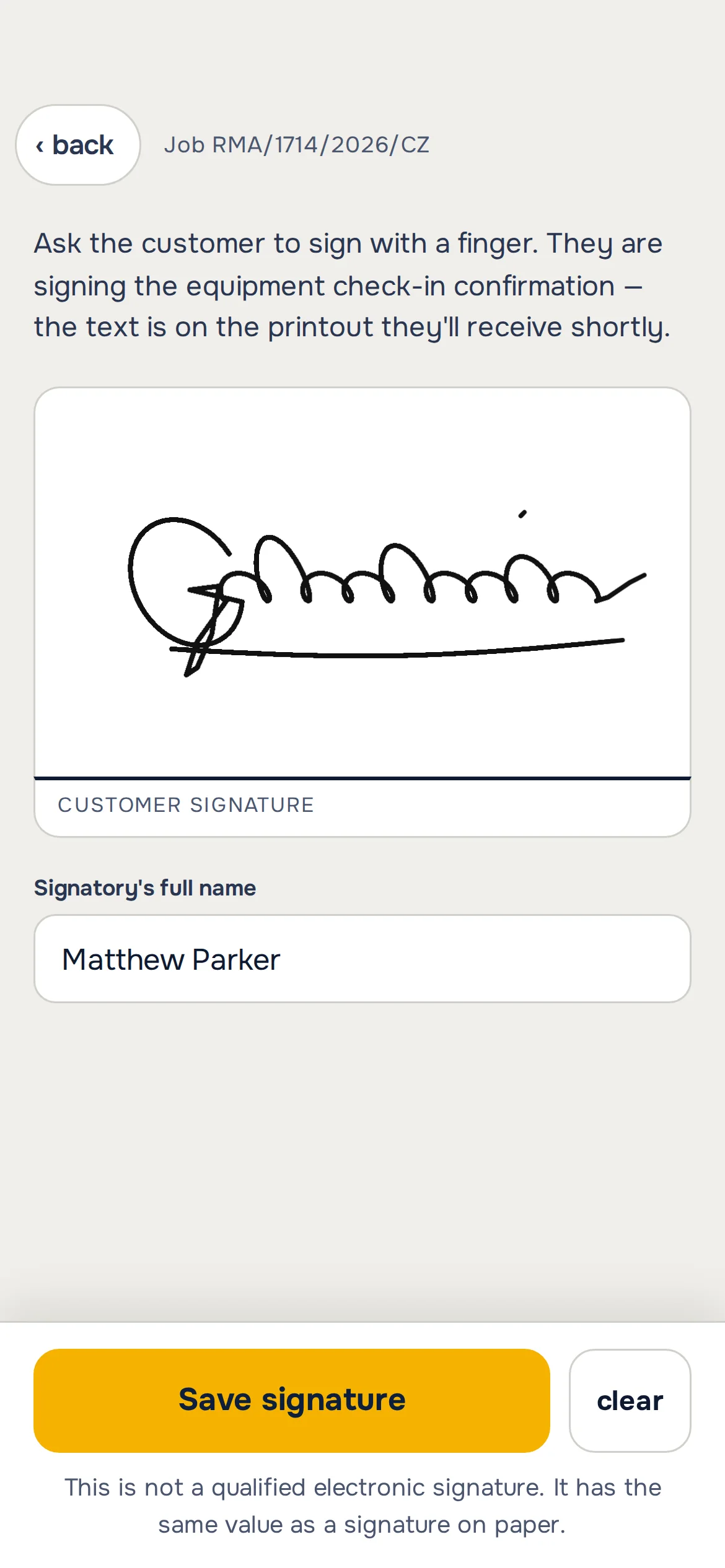
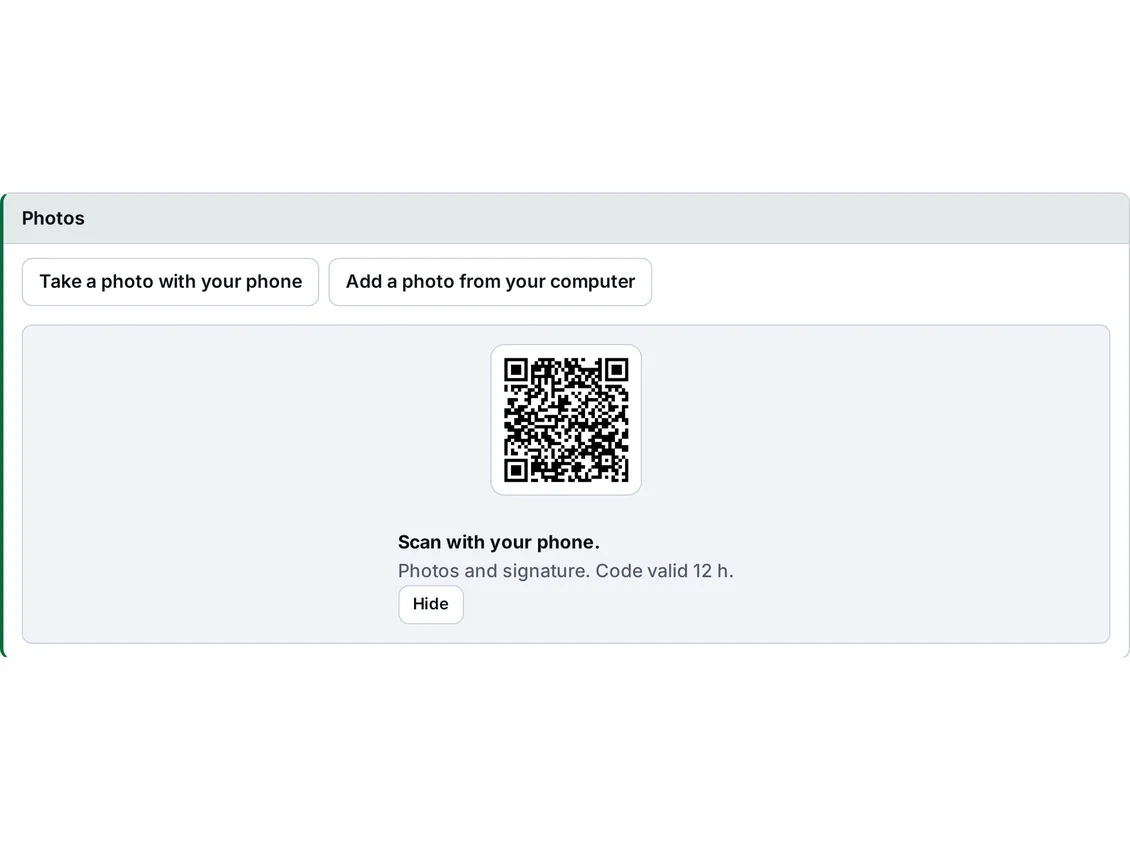
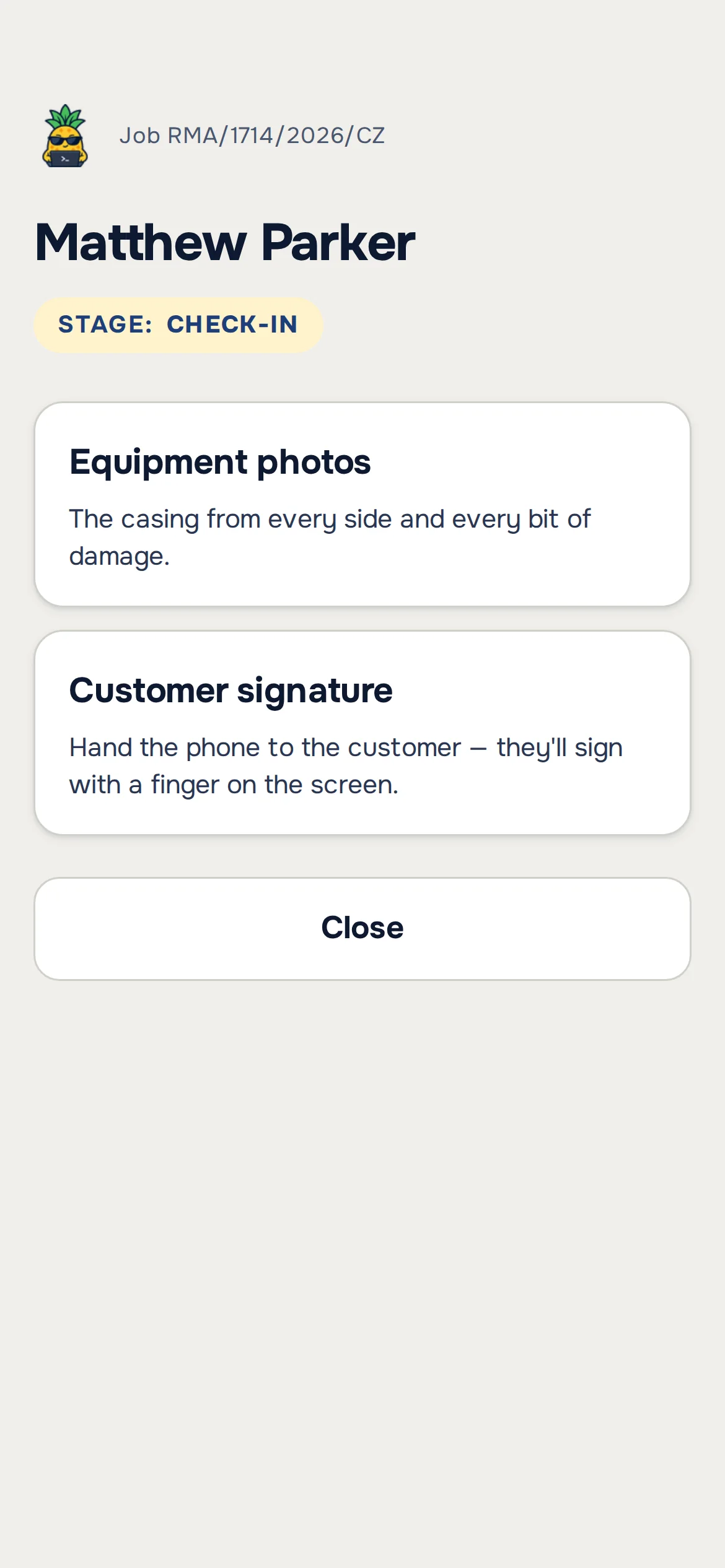
The customer is standing at the counter, so the program doesn’t make you fill in twenty fields. The customer and a fault description are enough, the rest is suggestions. After saving you scan the QR code with your phone, take photos of the device, and the customer signs with a finger on the same phone. Photos and signature are on the card before the customer leaves the shop.
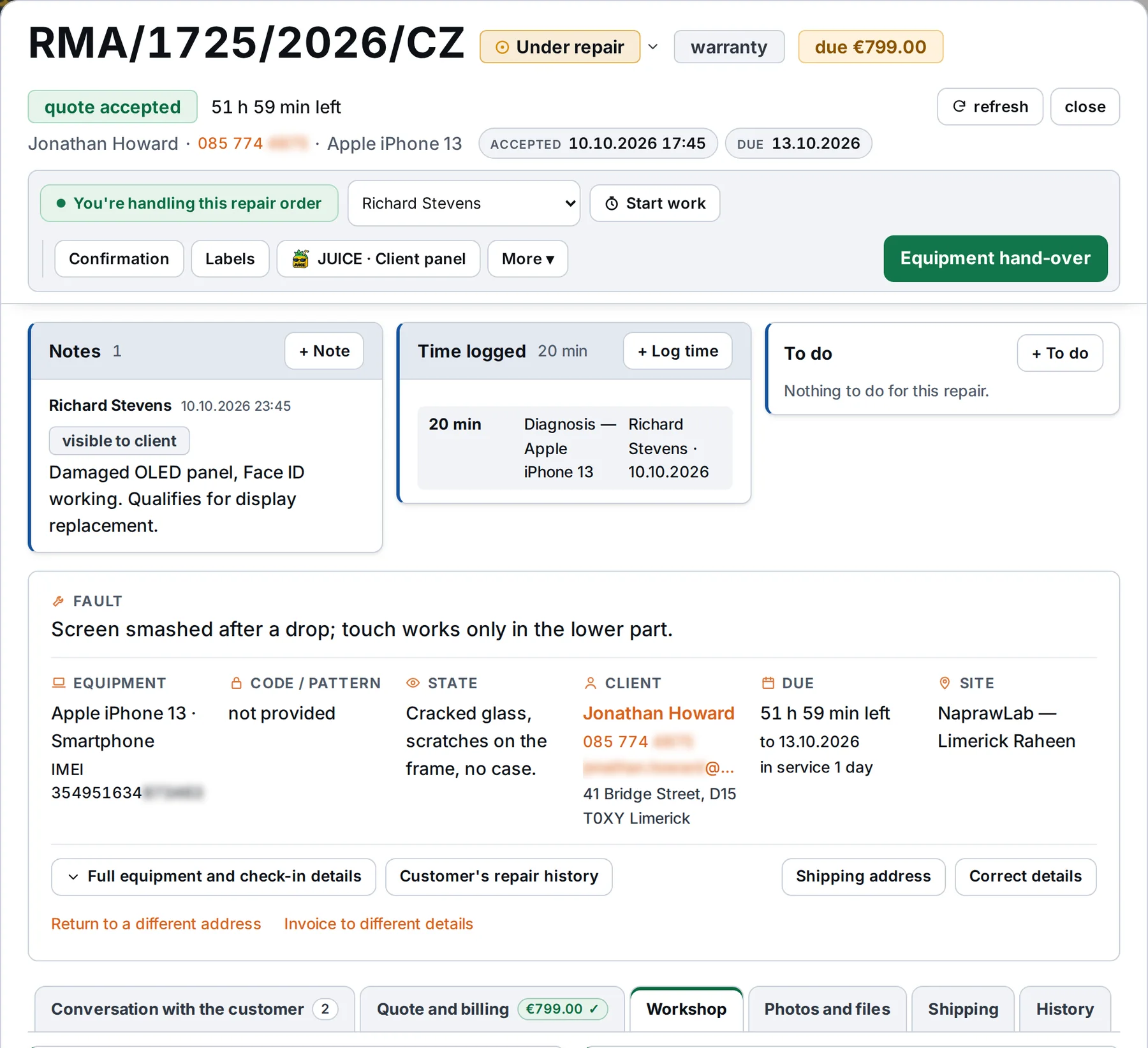
The whole repair on one card.
What the customer reported, what you did, which parts went in, how long it took and what you agreed. Any technician opens the card and knows where things stand, even if they didn’t touch this repair yesterday.
The customer writes in JUICE. You reply from the repair card.
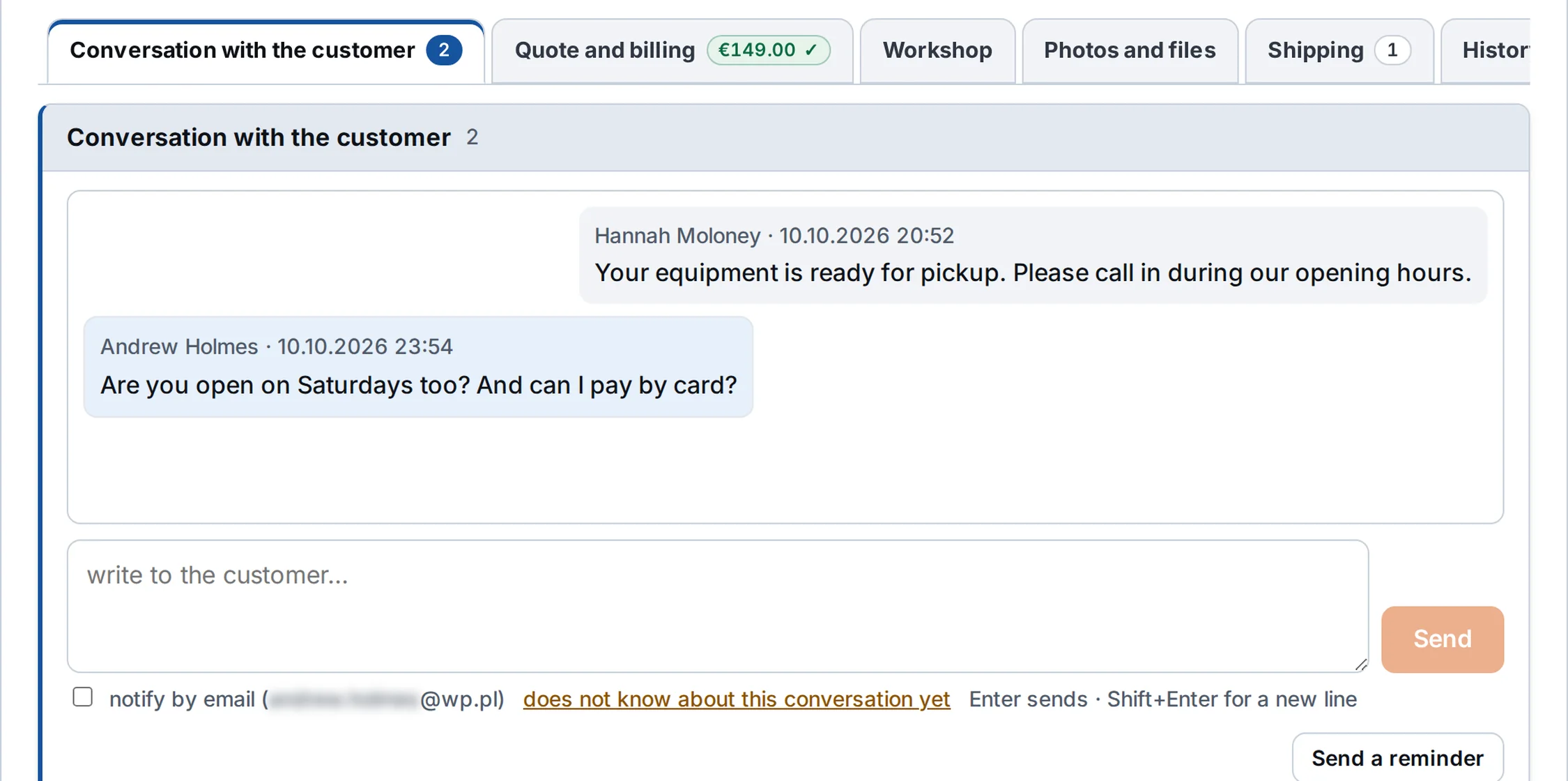
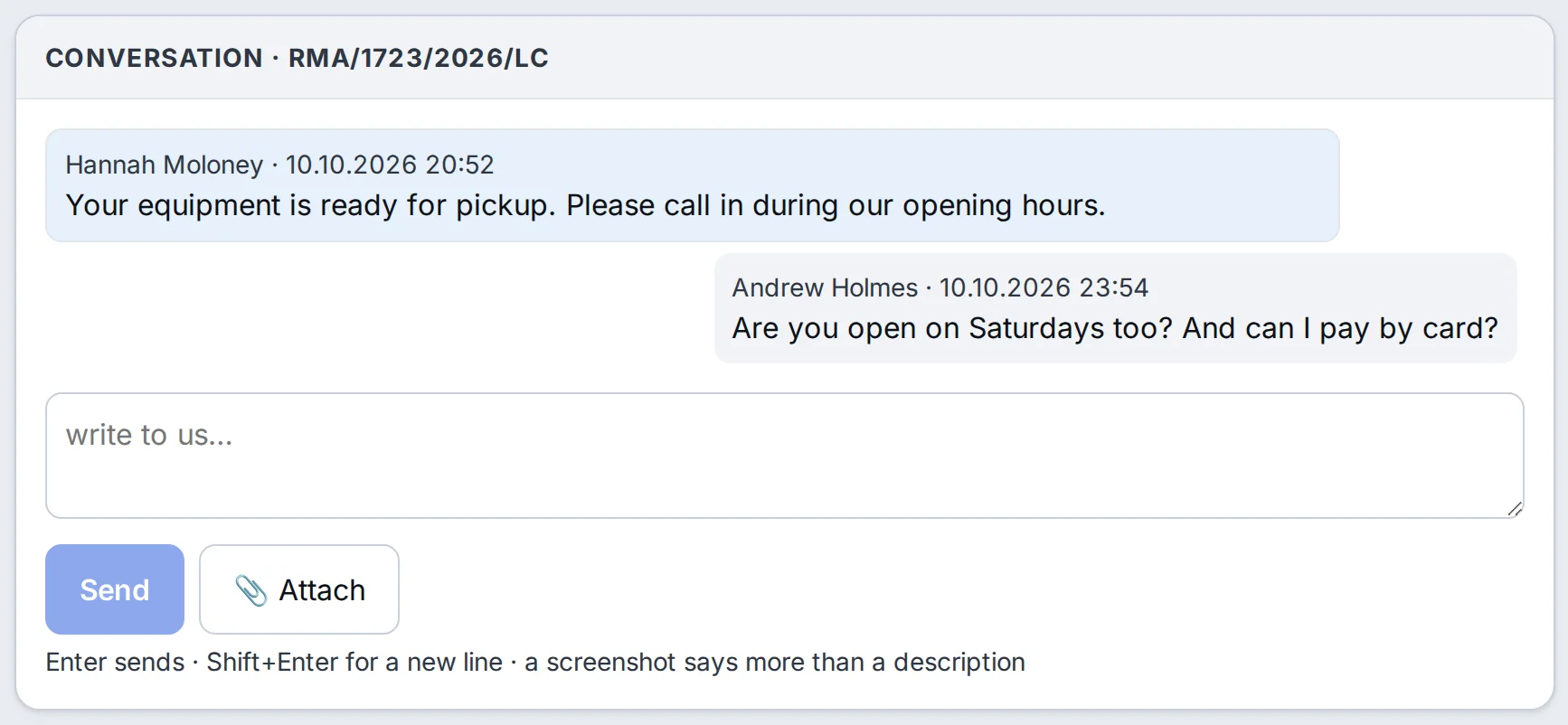
The conversation with the customer and the parcel are on the card of the repair they belong to. Everyone in the shop sees what the customer was told and where their device is, without digging through emails and Messenger.
Customer chat on the repair card.
The customer’s message from JUICE appears on the card. You reply in the same place, and next to it you have notes that one switch makes visible to the customer.
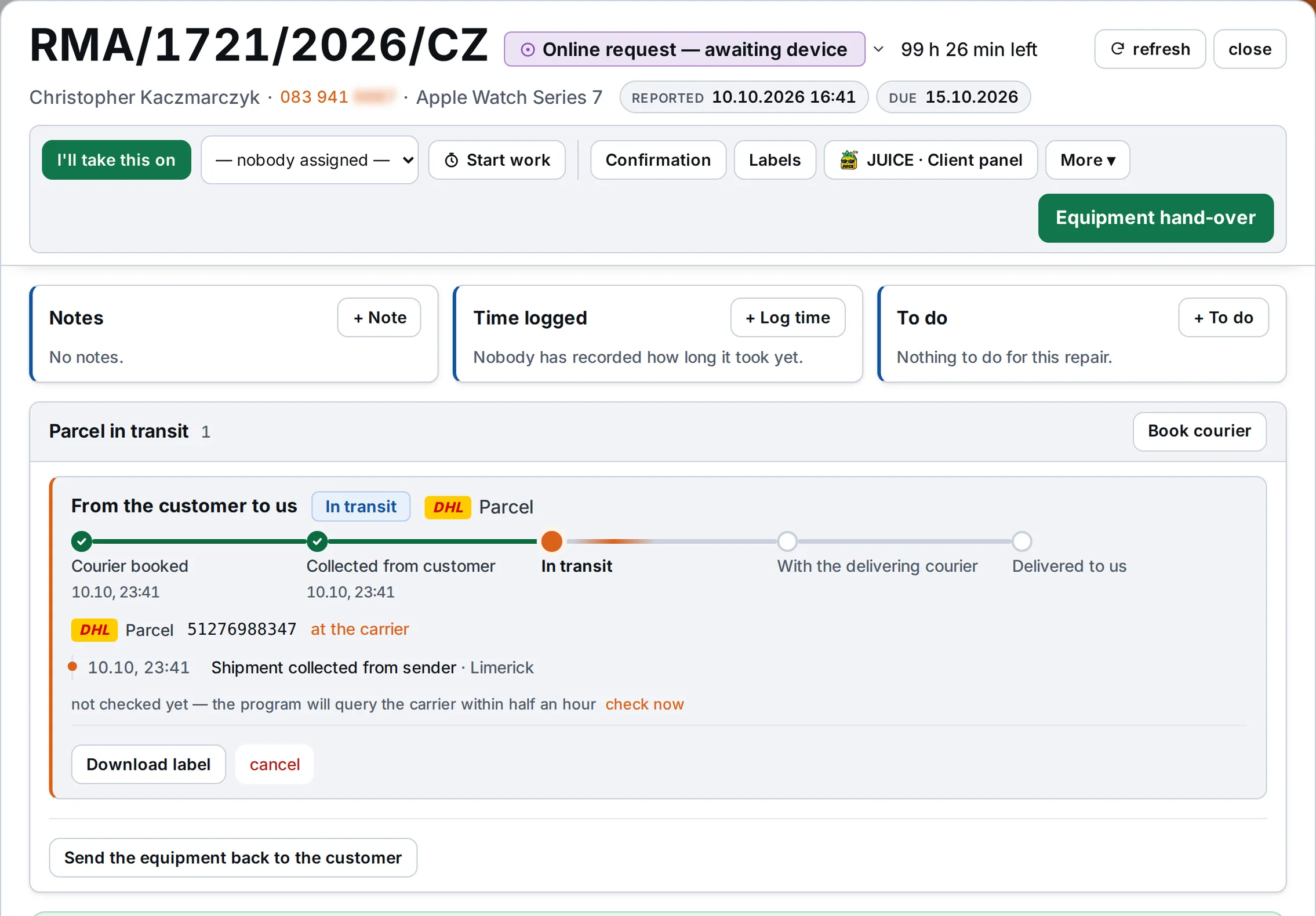
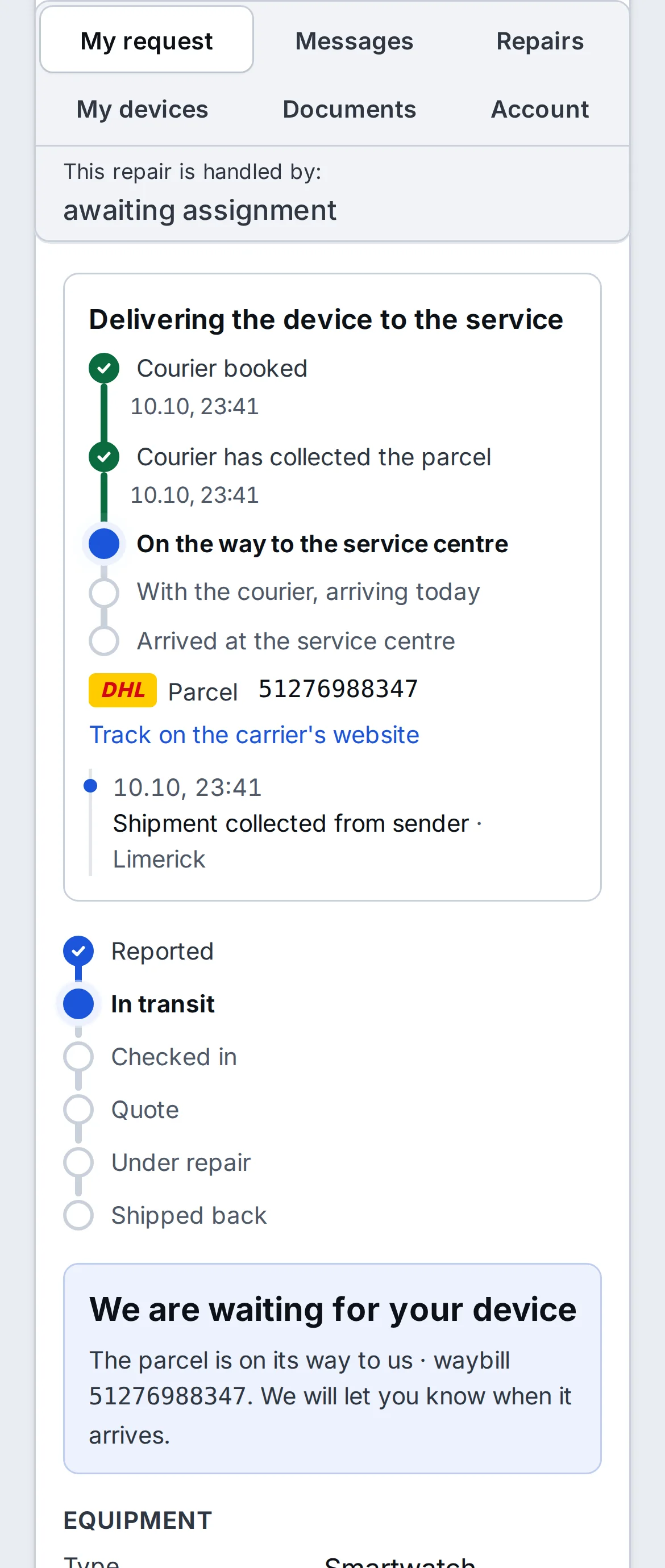
The parcel at the top of the card.
You enter the tracking number on the repair card. The program checks the status with the carrier by itself, so you see the five stages of the parcel’s journey and so does the customer in JUICE.
A photo at every stage of the repair in 5 seconds.
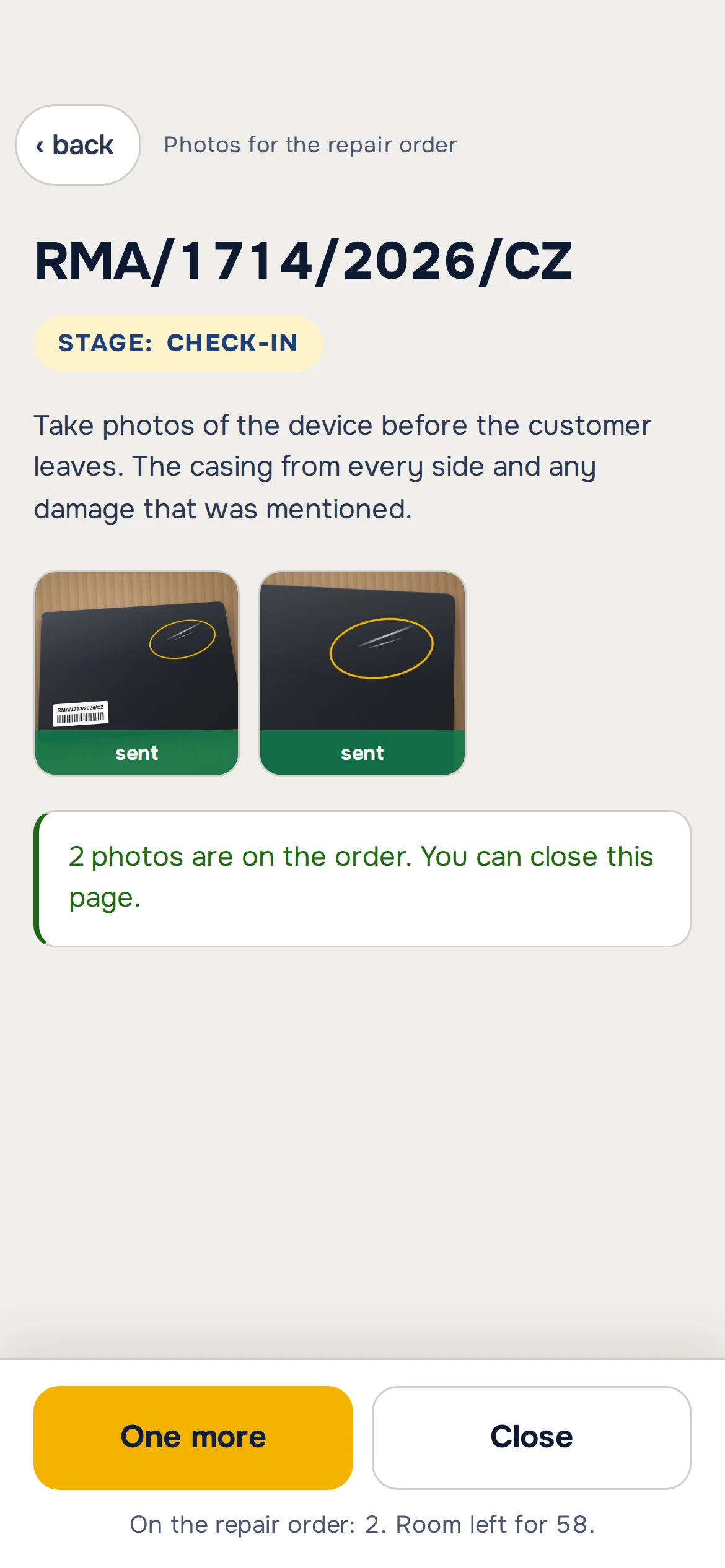
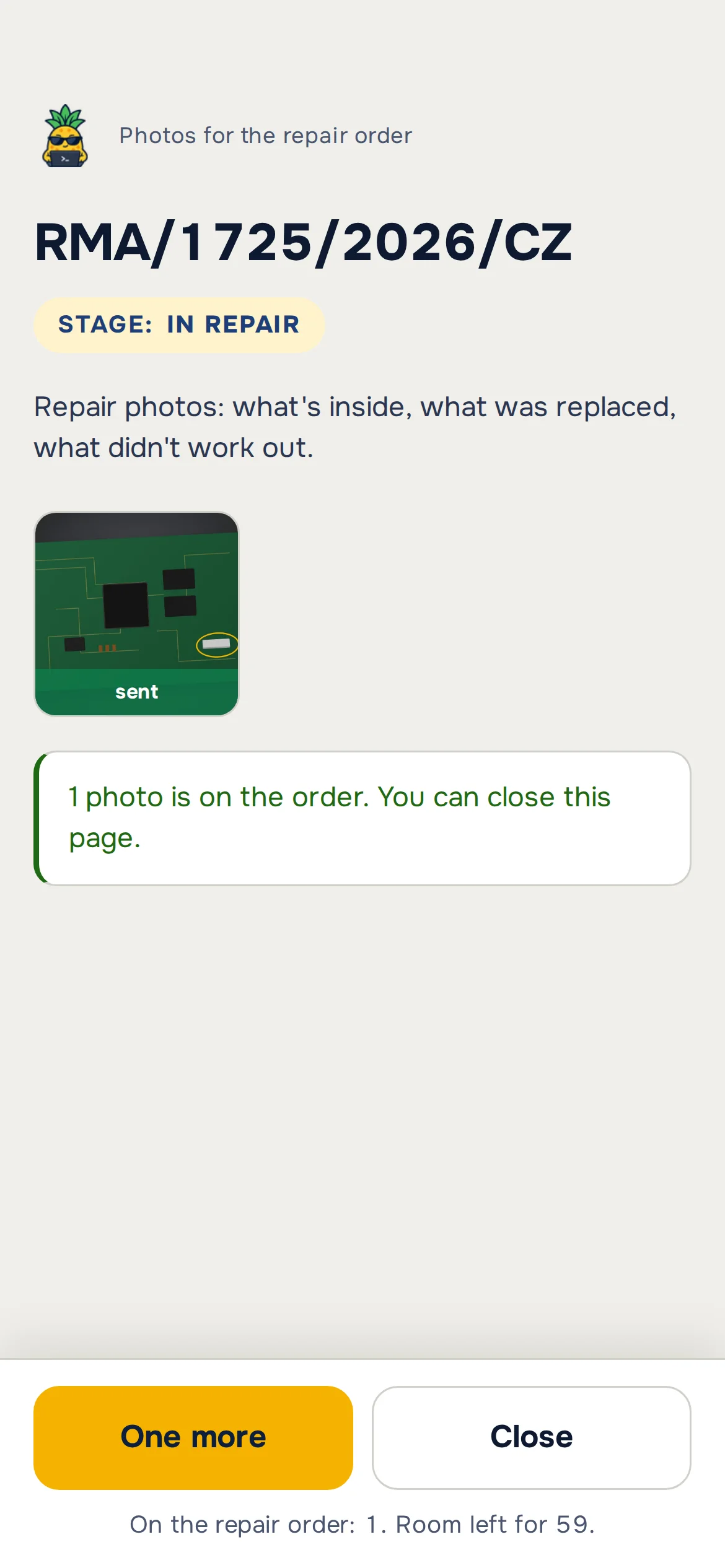
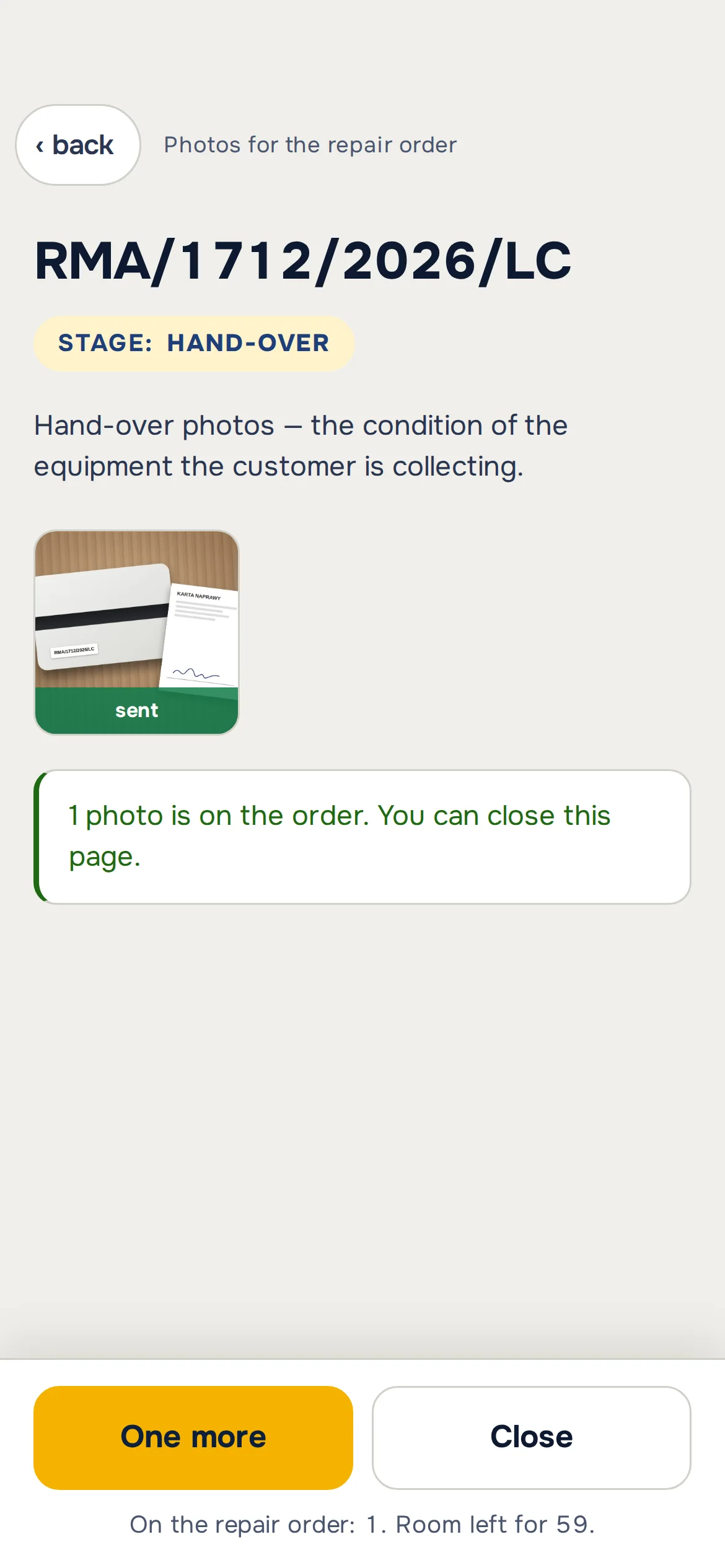
At the counter, on the workbench and at handover you do the same thing: scan the code on the repair card and snap. The phone knows which stage the repair is at, so the photo goes into the “check-in”, “in repair” or “handover” group by itself. No cable, no app to install and no emailing photos to yourself.
A photo takes less time than typing a note, so technicians take them on every repair. And photos on a job earn a slice ;)
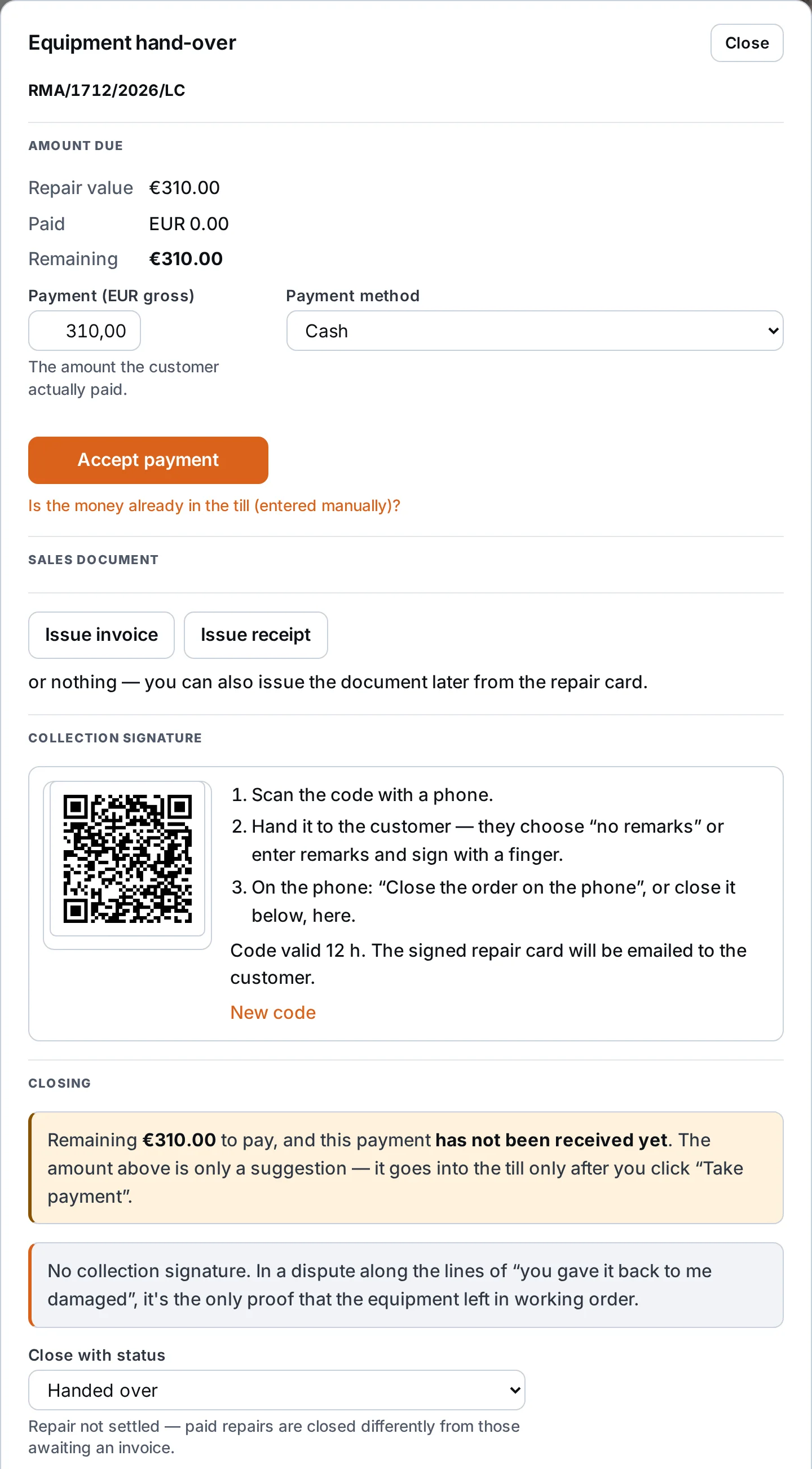
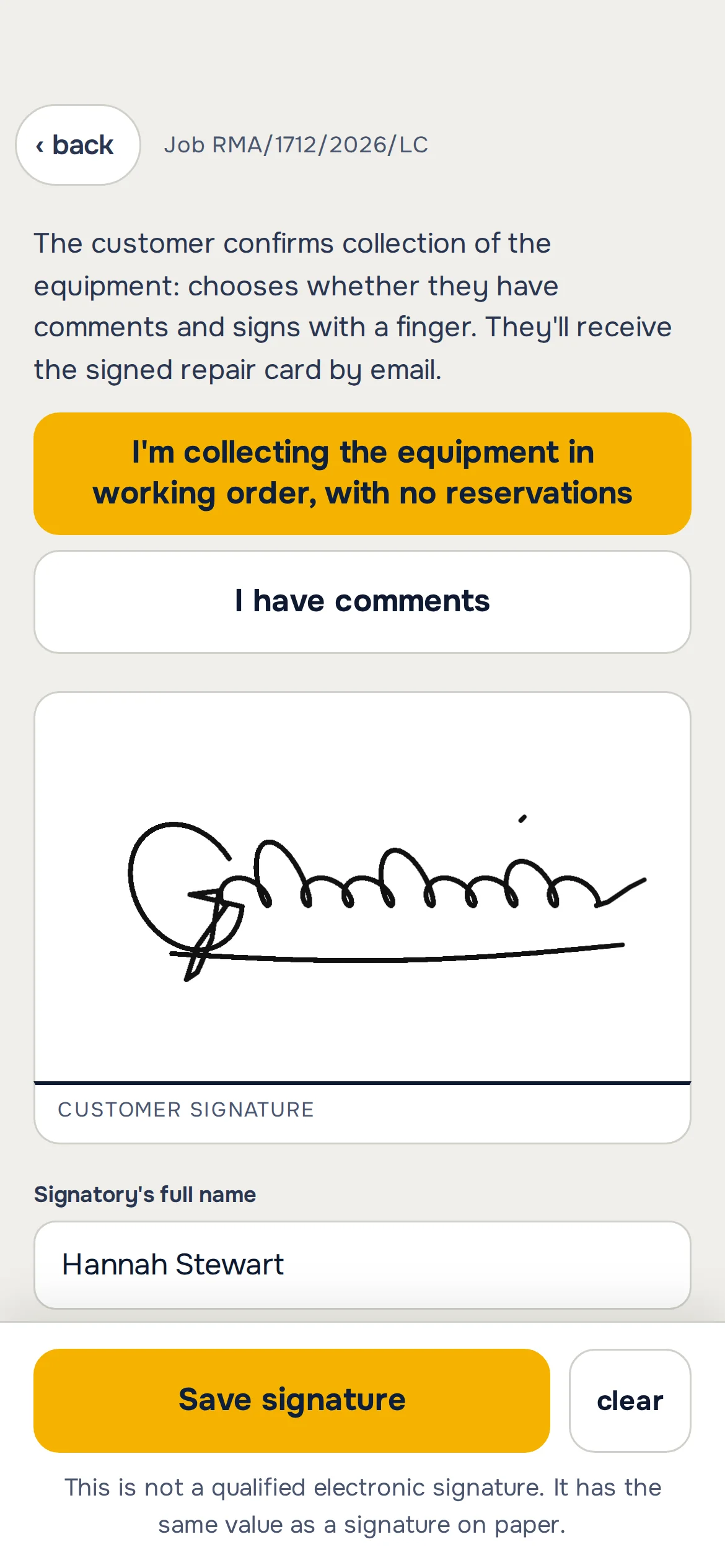
Device handover with the customer’s signature on a phone.
You open “Device handover” and the QR code is already on the screen. You scan it with your phone, hand it to the customer, and they choose “no objections” or type comments and sign with a finger. If the customer comes back with “you gave it back damaged”, you have their signature with a date.
Your customer’s command centre. On the computer and on the phone.
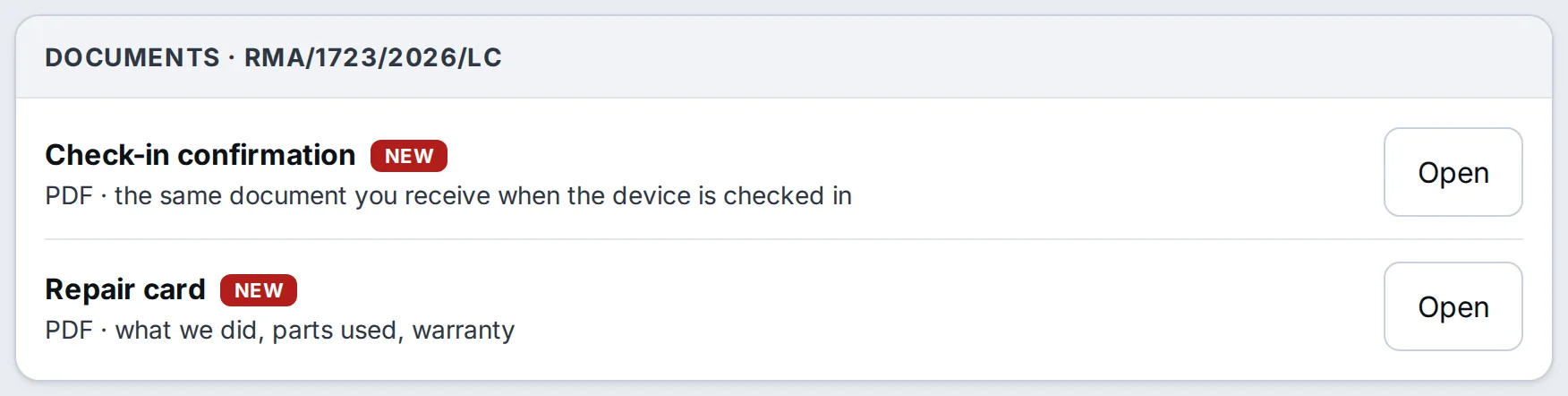
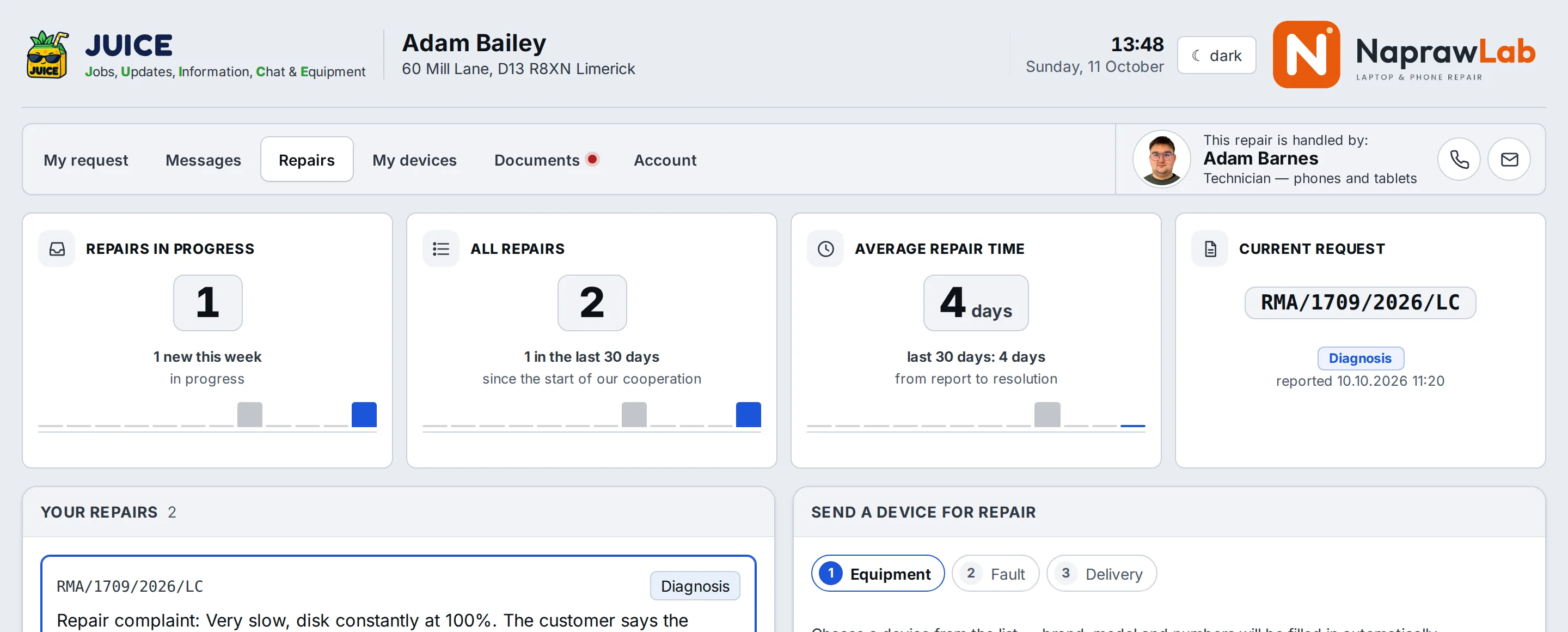
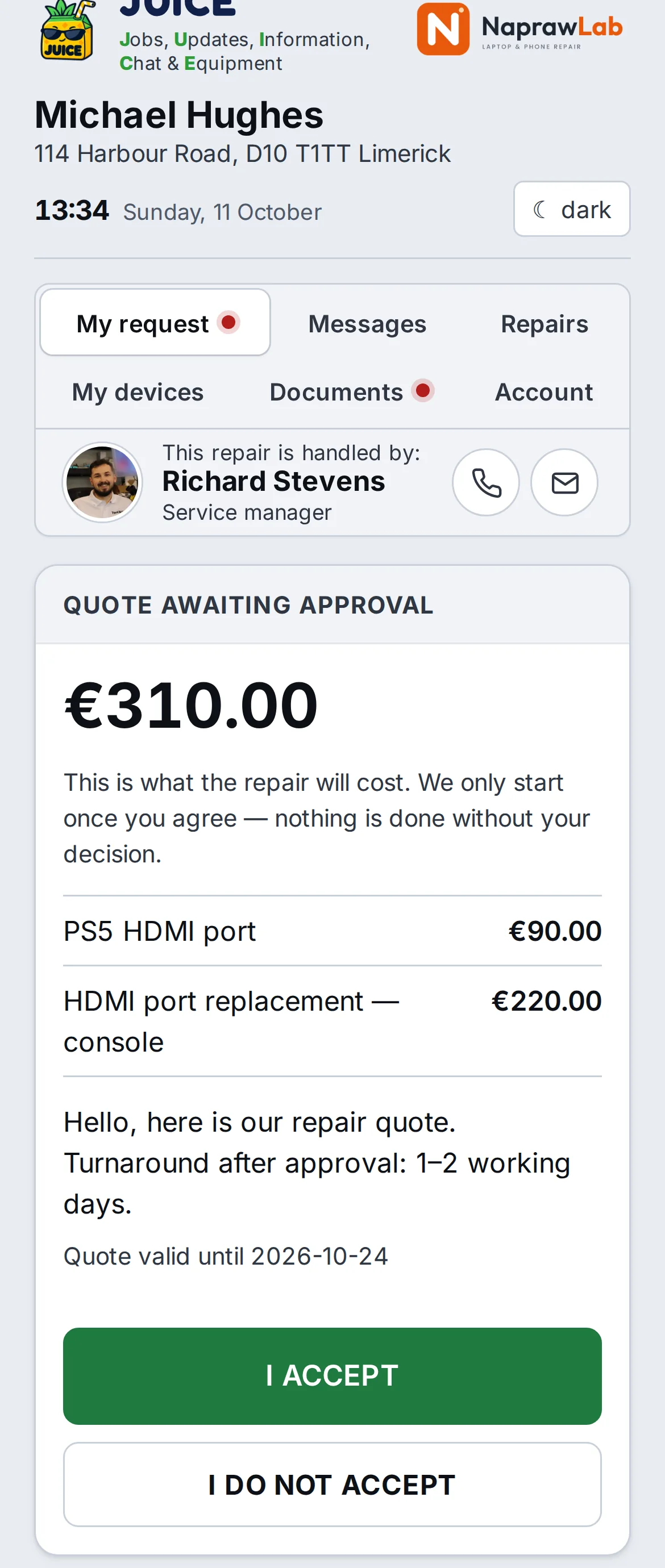
The customer gets a link by email or text and goes straight into their case, without creating an account. They see the repair stage, the parcel with the courier, the amount to pay, notes from the technician and the history of changes. They pay, write, download documents and report the next device. They do all of it themselves, and meanwhile you repair ;)
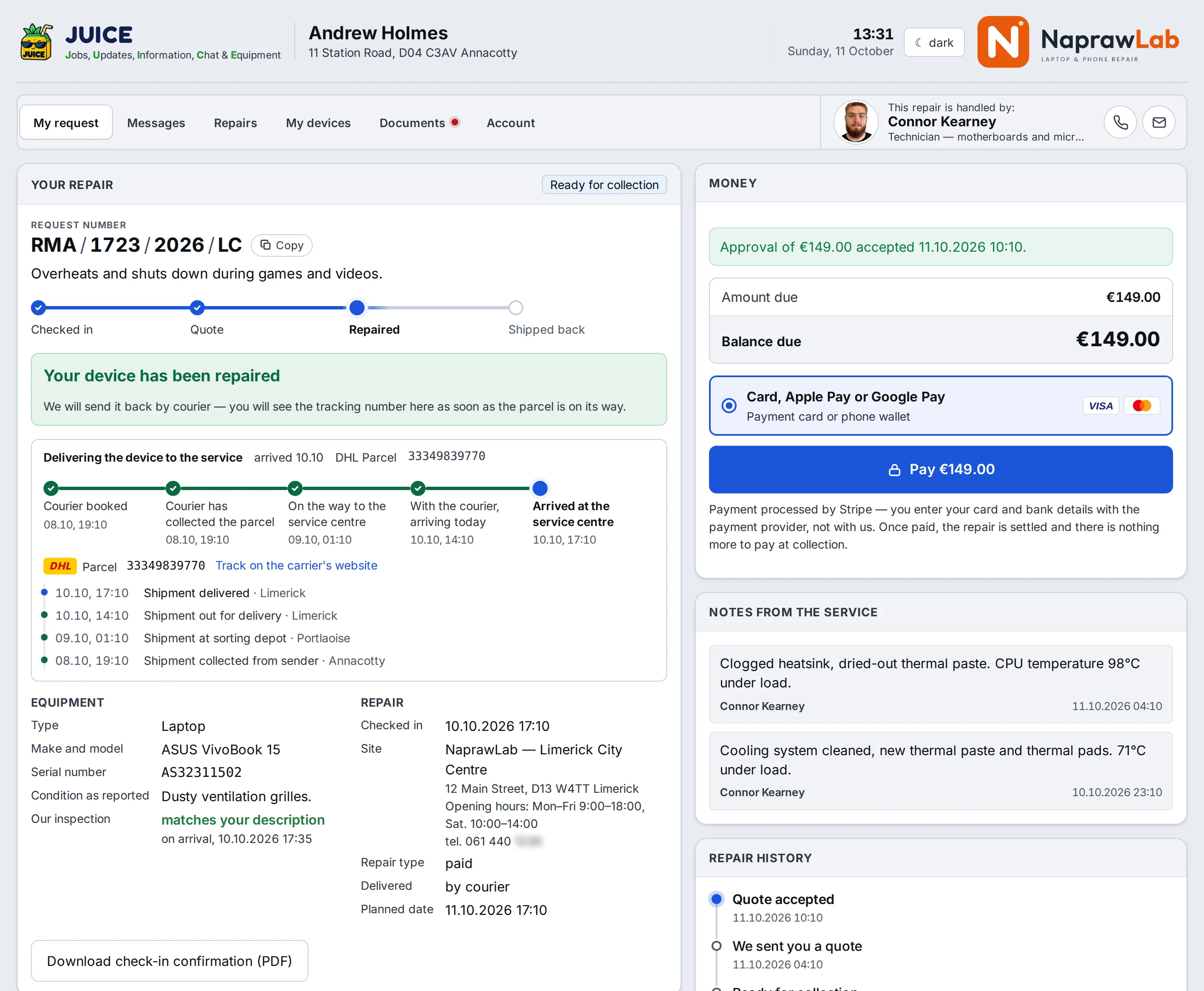
Mail-in repairs with a form on your website.
You put the request form on your website. The customer chooses whether you send a courier or they bring the device in themselves. You enter the tracking number on the repair card and follow the parcel all the way to the customer’s door.
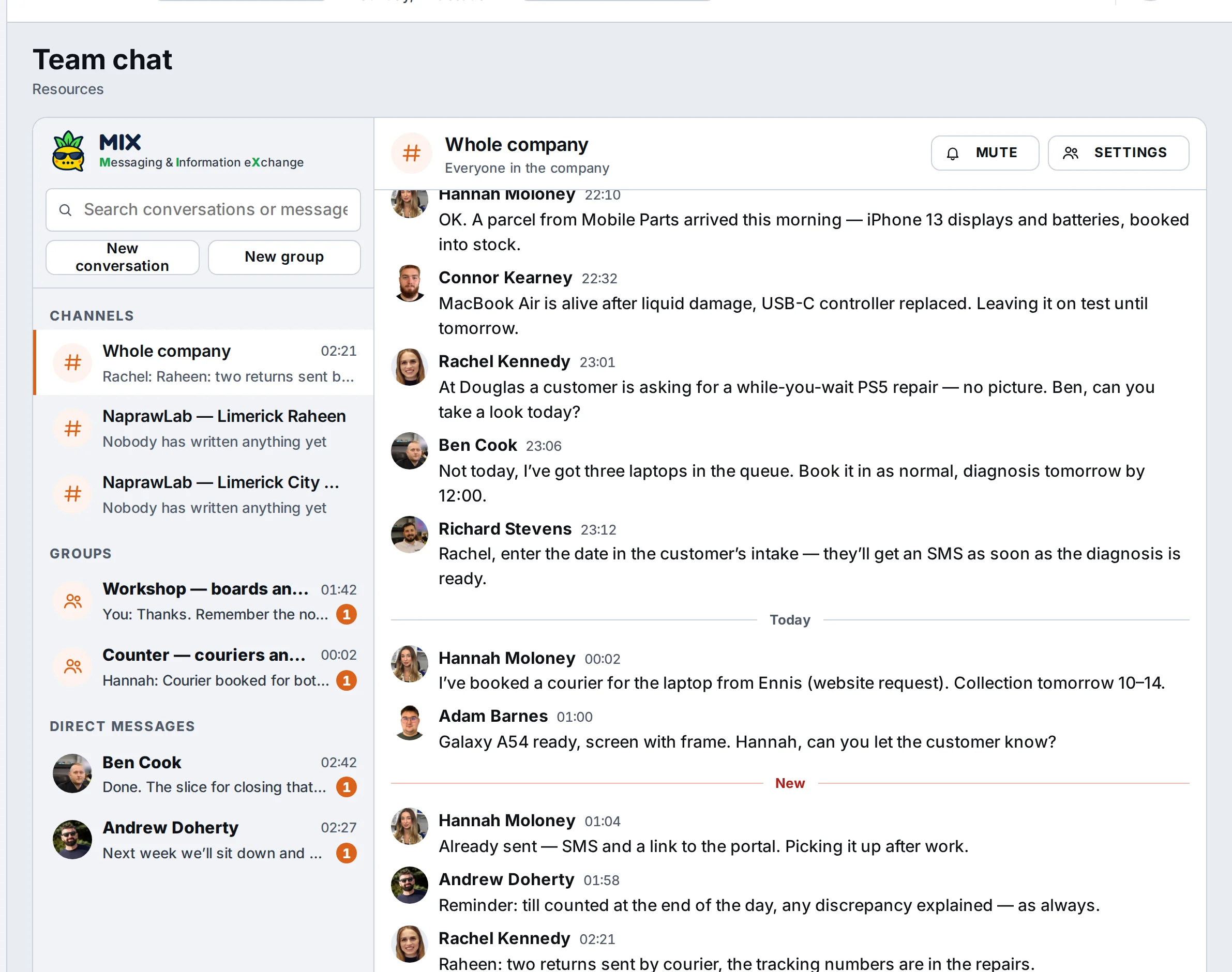
Team chat inside the program.
MIX is a chat for your staff: a company-wide channel, a channel for each location, groups (“Workshop”, “Counter and couriers”) and private conversations. Work talk stays in the company, even when someone changes phone or job.
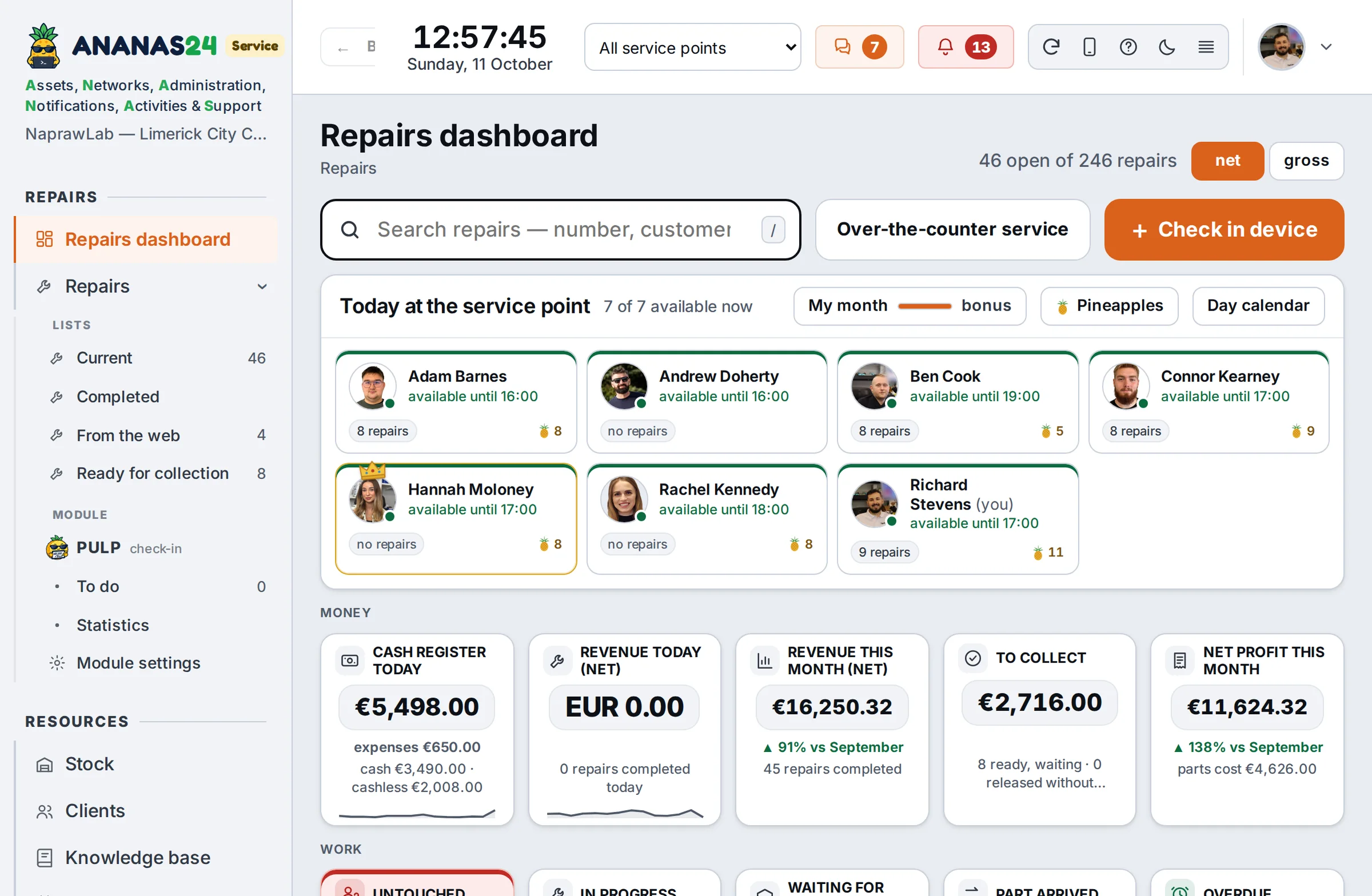
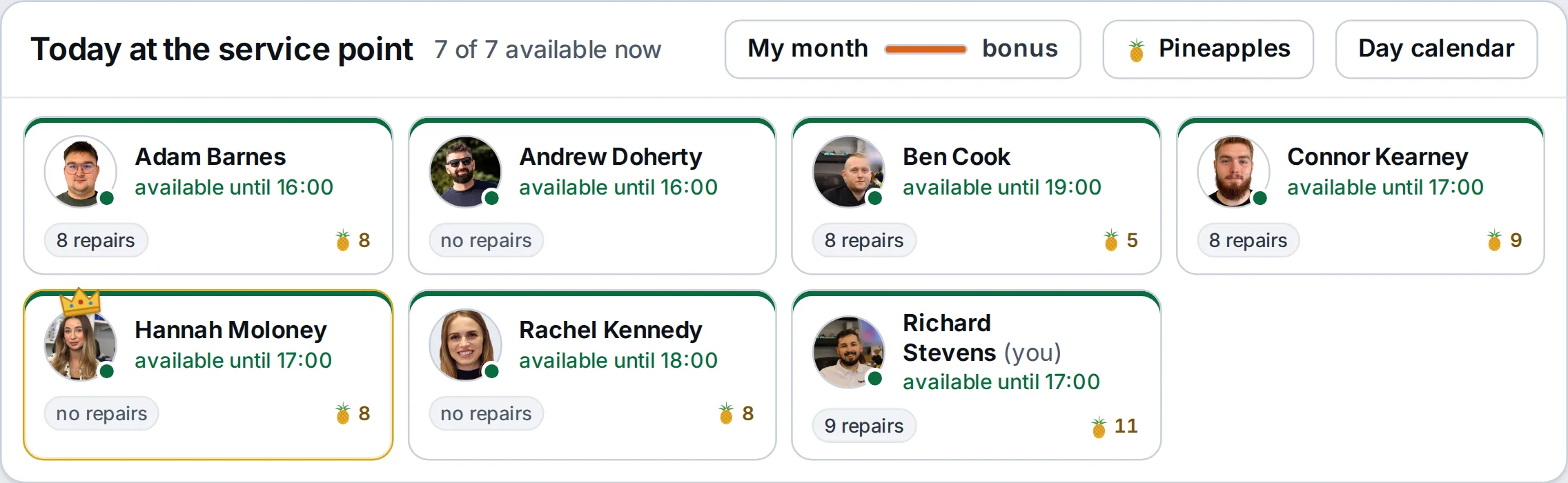
Today at the location: who is working and how many repairs they have.
On the repairs dashboard you see the whole team: who is available, who is busy and who is away (from absences, the program calendar and Google). Next to each person, the number of repairs, the overdue ones and this month’s pineapples. You can see who should get the next repair.
Everyone chooses what lands in their bell.
In the company Settings you choose which kinds of notifications are created at all. Next to each you see how many there were in the last 30 days. For new repairs you can keep only those reported by the customer: from the portal, the form or email. Each employee can also mute what they don’t need.
Technicians and managers have repairs on their phones.
On the phone ANANAS shows only what you need at the workbench and on the go. The technician sees their repairs and the card with big buttons, the manager sees the till, the backlog and the people. It runs in the browser, and you add it to your home screen like an app.
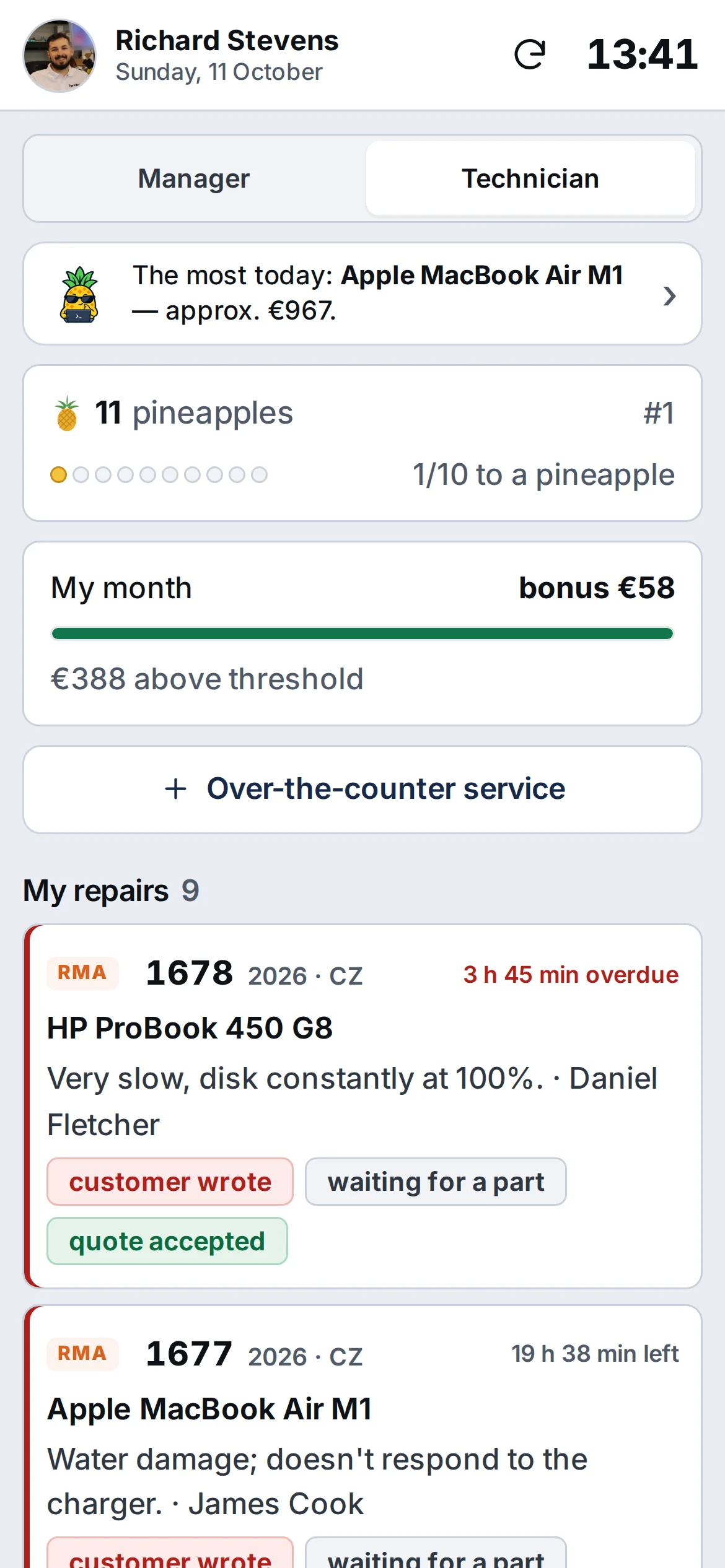
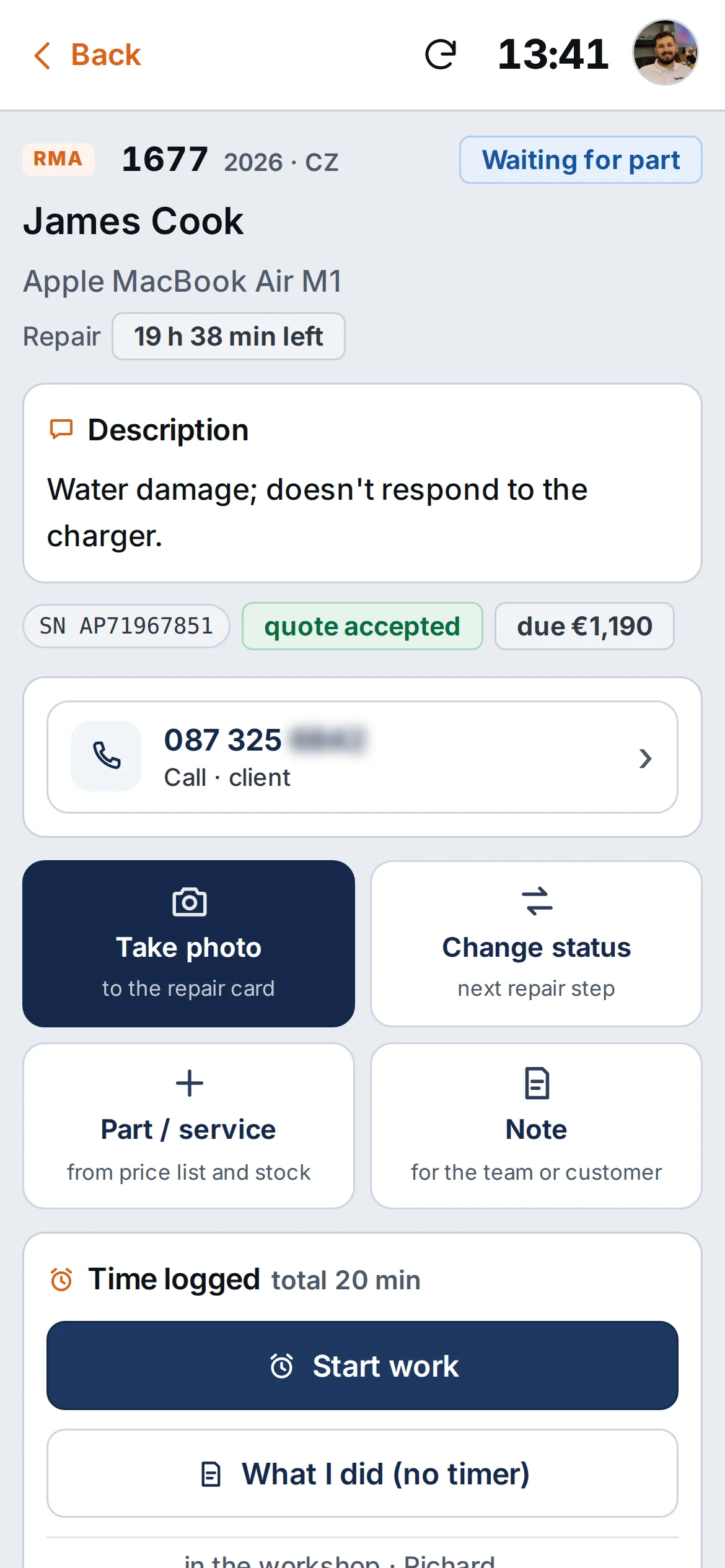
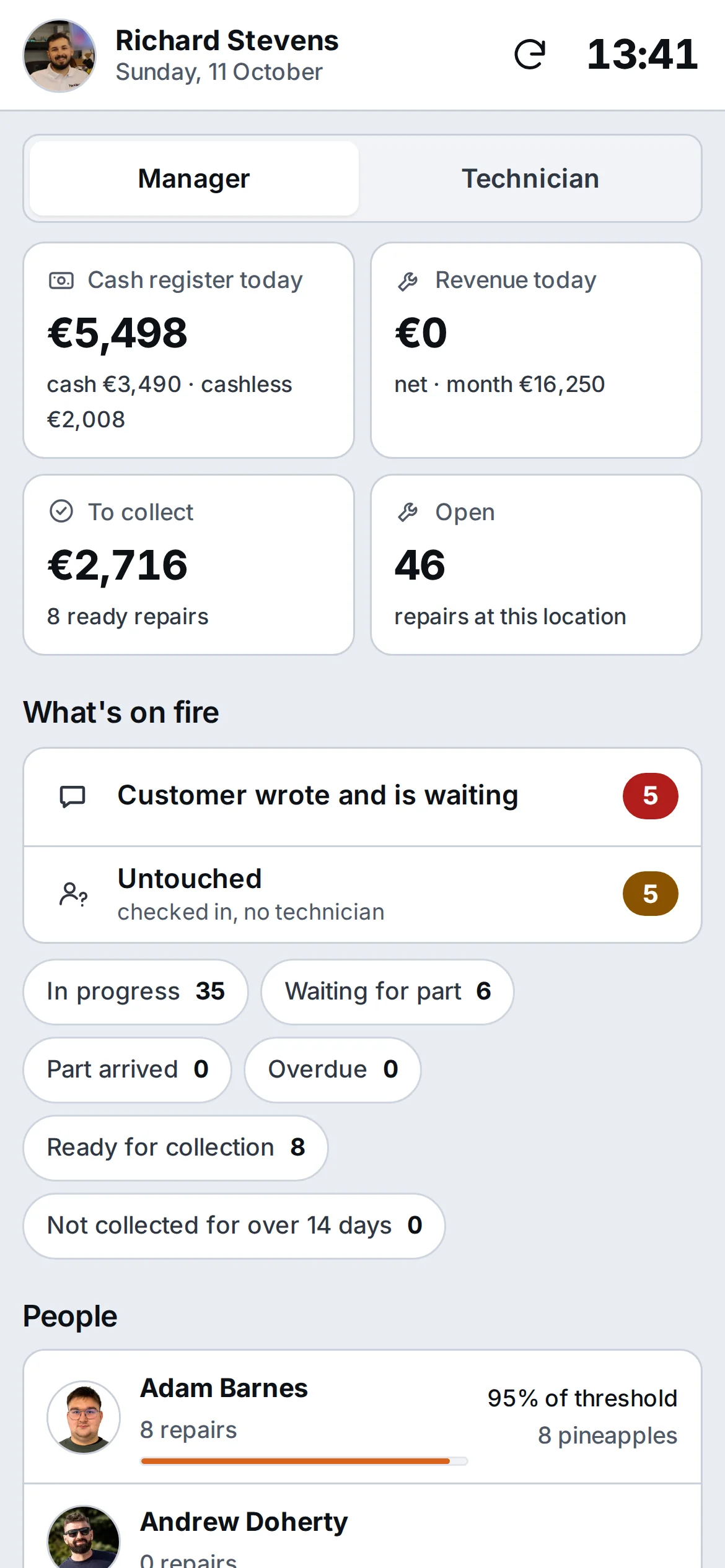
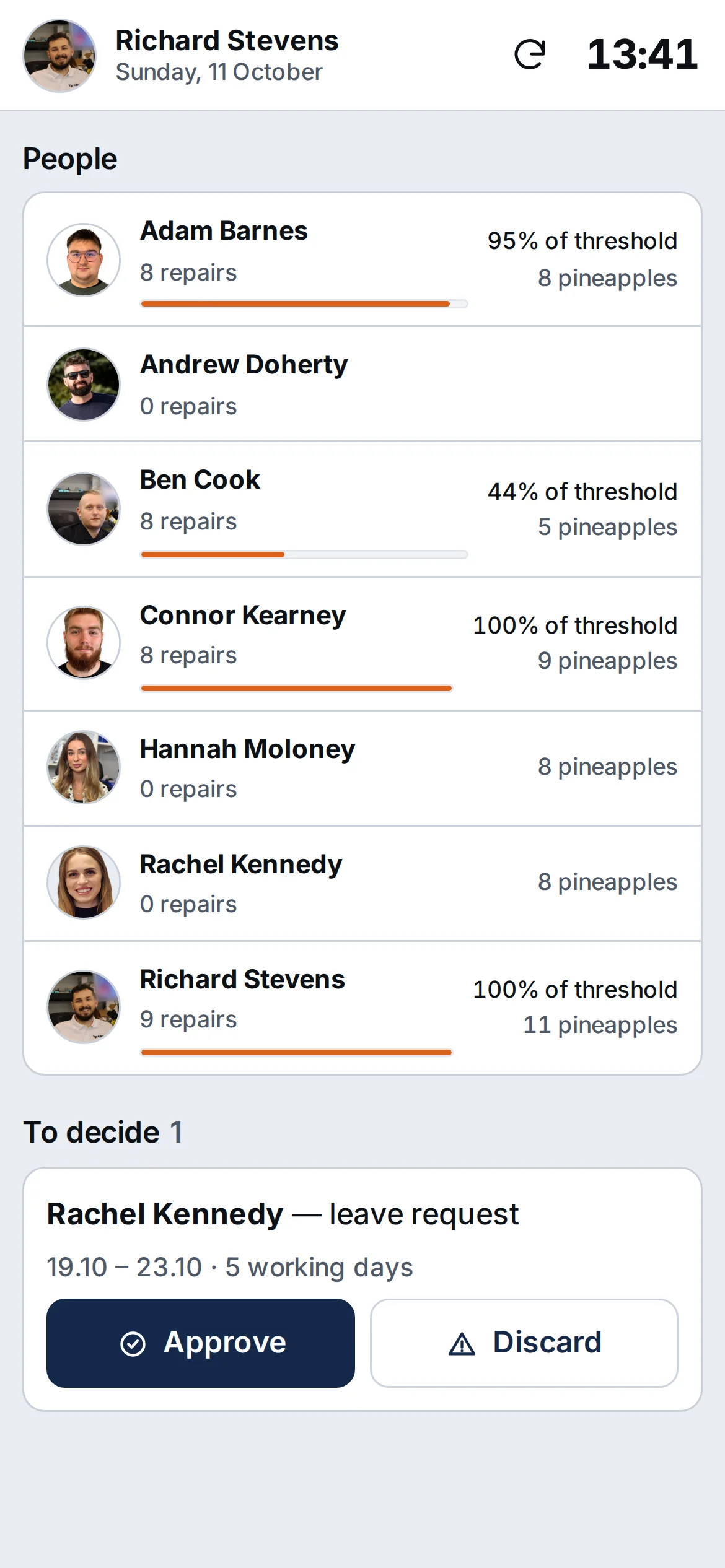
It’s a browser app (PWA), not a store app. On iPhone, notifications work once you add ANANAS to the home screen. The front desk works at a computer.
We built an RPG quest your whole team plays at work. Perfectly legal, and it pays off for you.
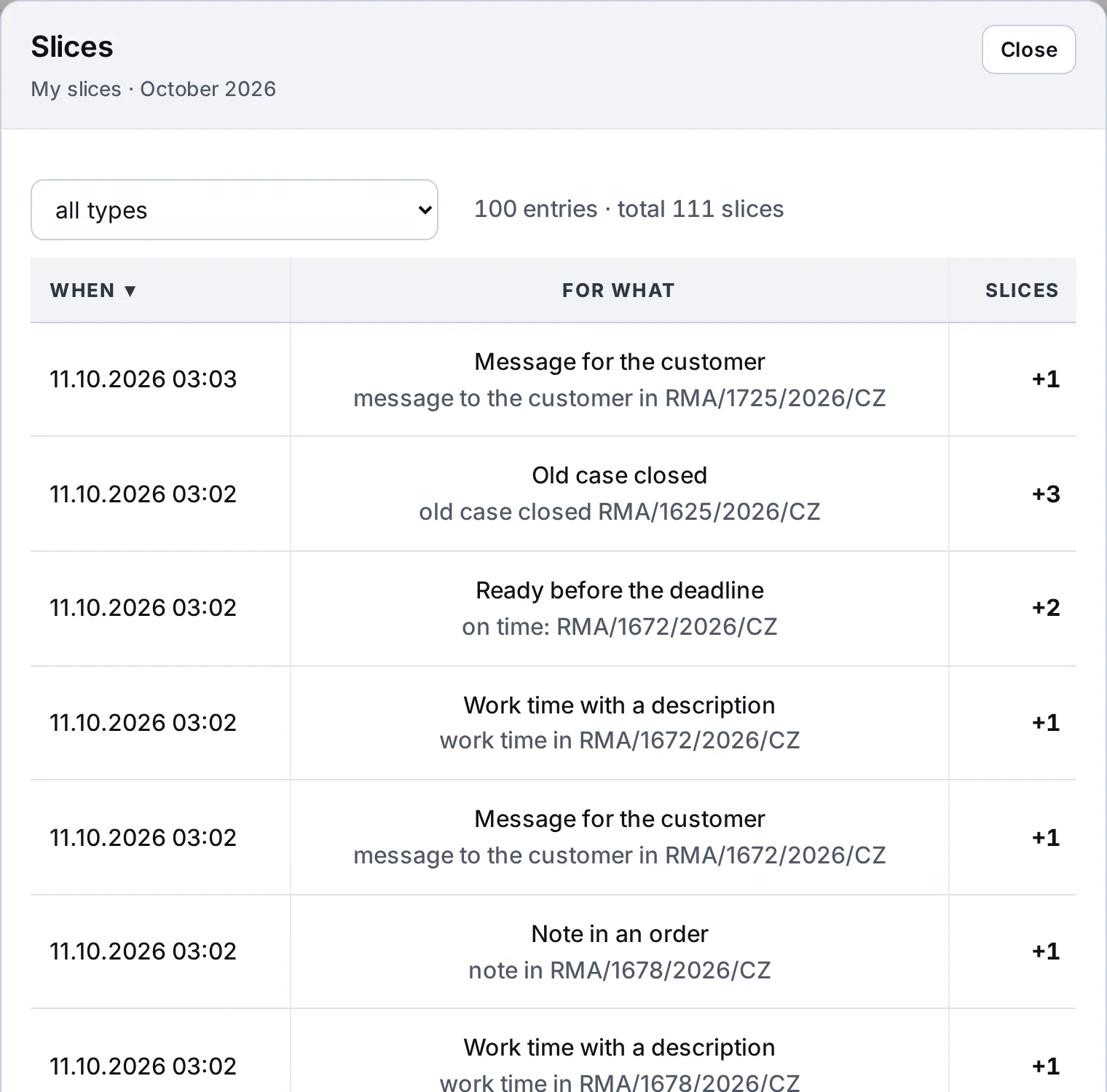
Everyone in the company collects slices for things they should be doing in the program anyway: device photos, specific notes, messages to the customer, repairs done on time, a till balanced to the cent. 10 slices make one pineapple. Whoever collects the most pineapples in a month becomes the Pineapple King and wears a crown next to their name in the program.
You get a team that fills in the program carefully of its own accord. And a carefully filled-in program means fewer disputes with customers, fewer “what about my device” calls and a full history of every repair.
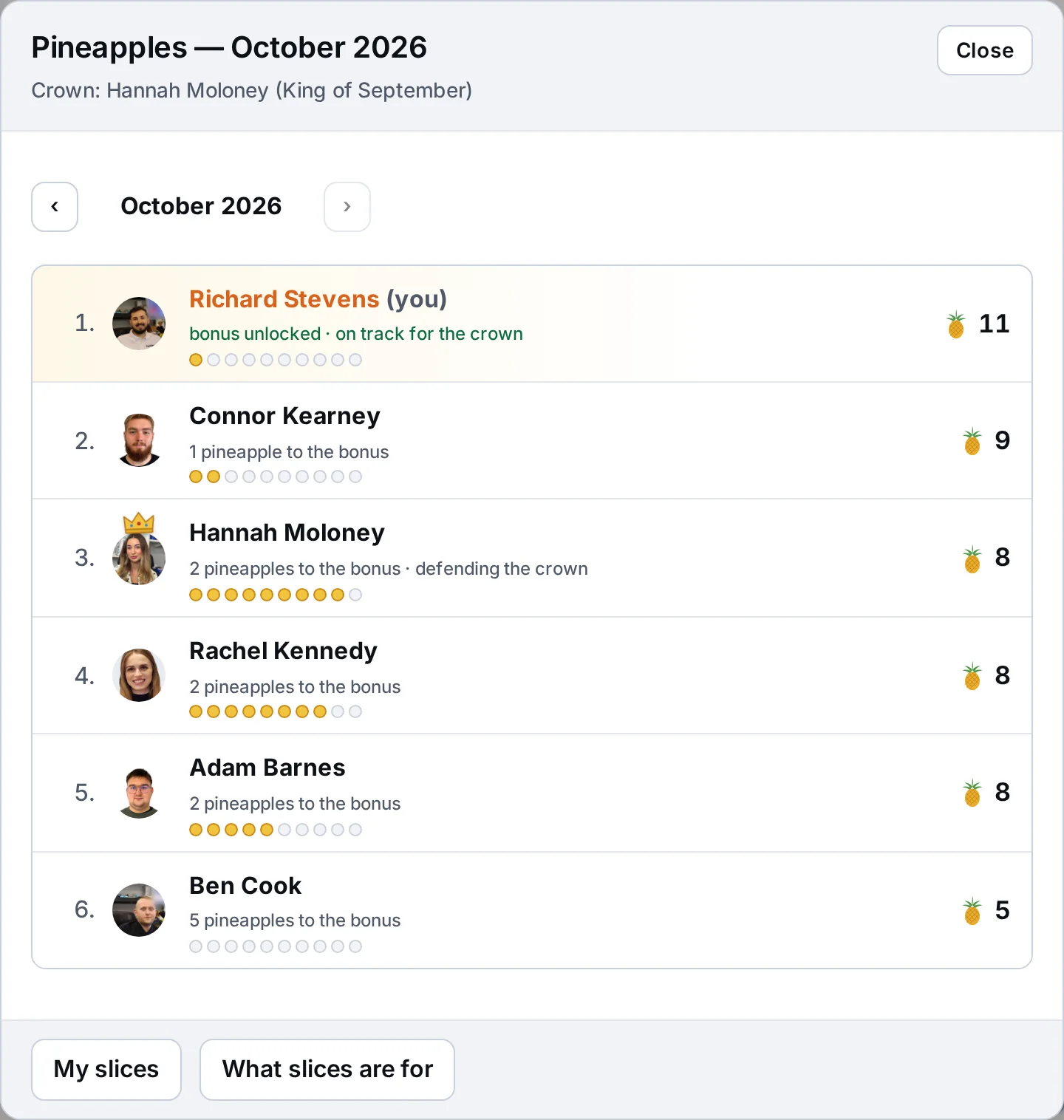
What earns slices
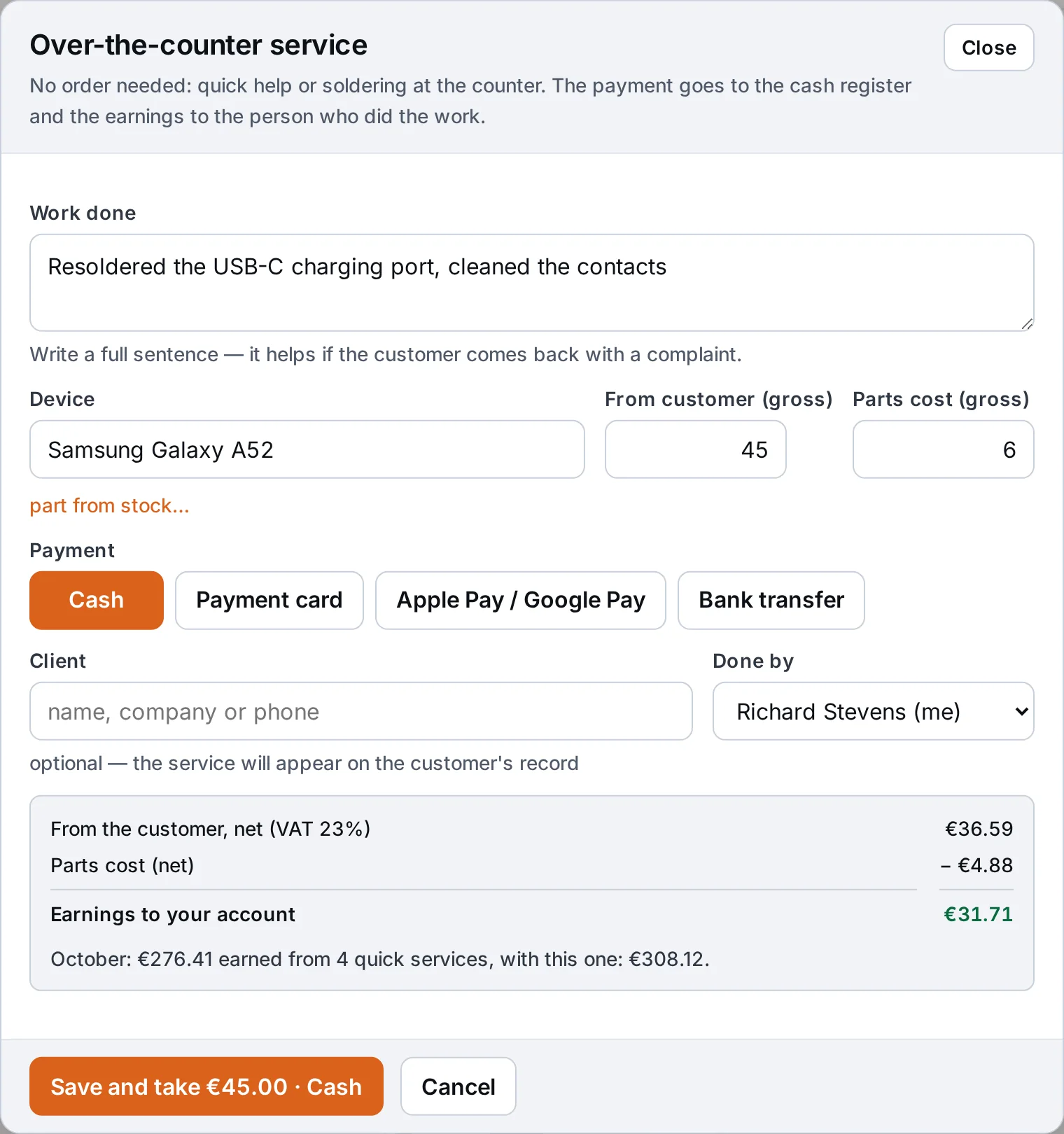
Technician earnings and bonus, calculated as you go.
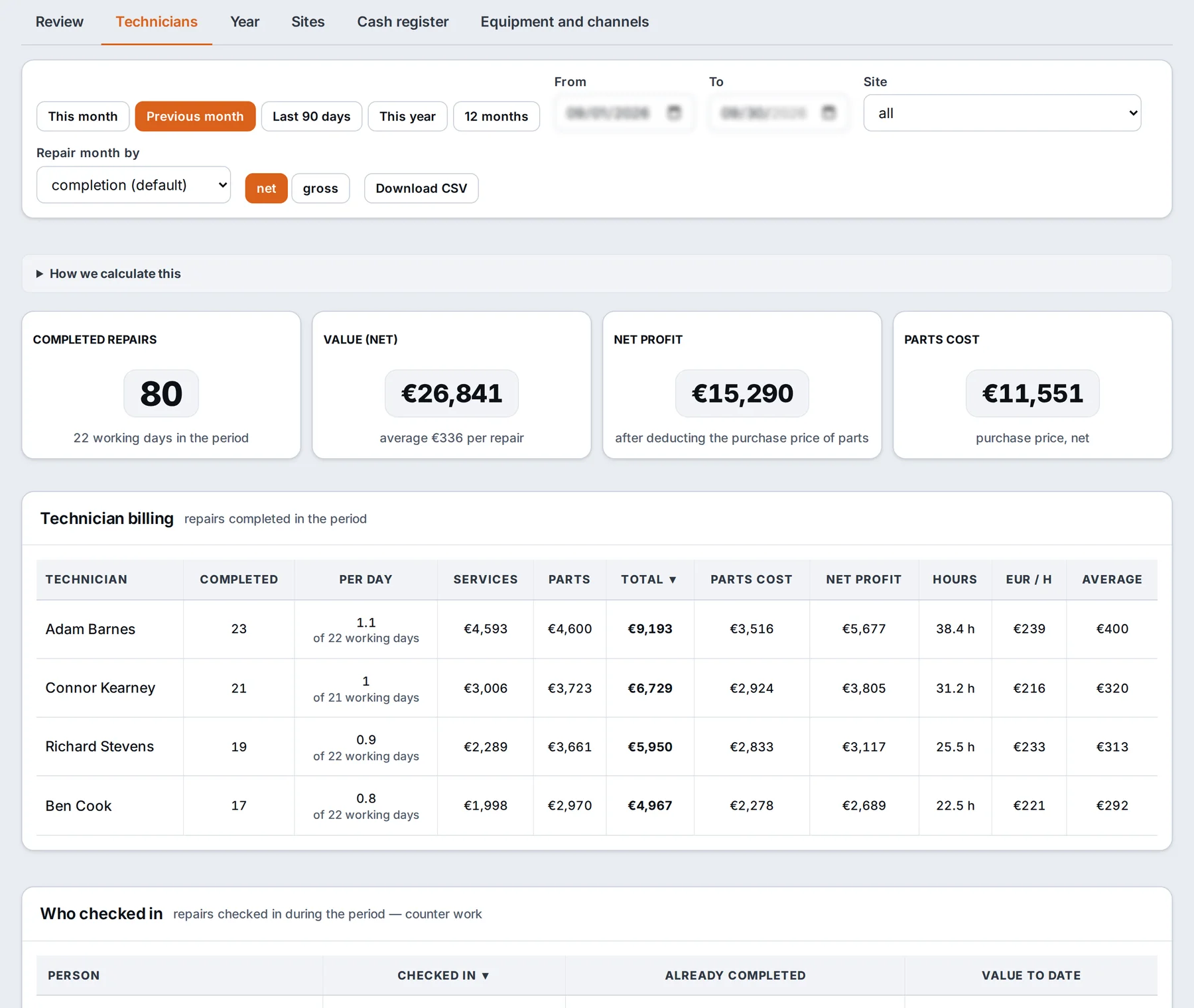
ANANAS calculates each technician’s net earnings: repairs and walk-in services, excl. VAT, minus the cost of parts. You set the threshold and bonus rate for each person, and anything above the threshold counts proportionally. You can make the bonus depend on a minimum number of pineapples, so it reflects the quality of the work as well as turnover.
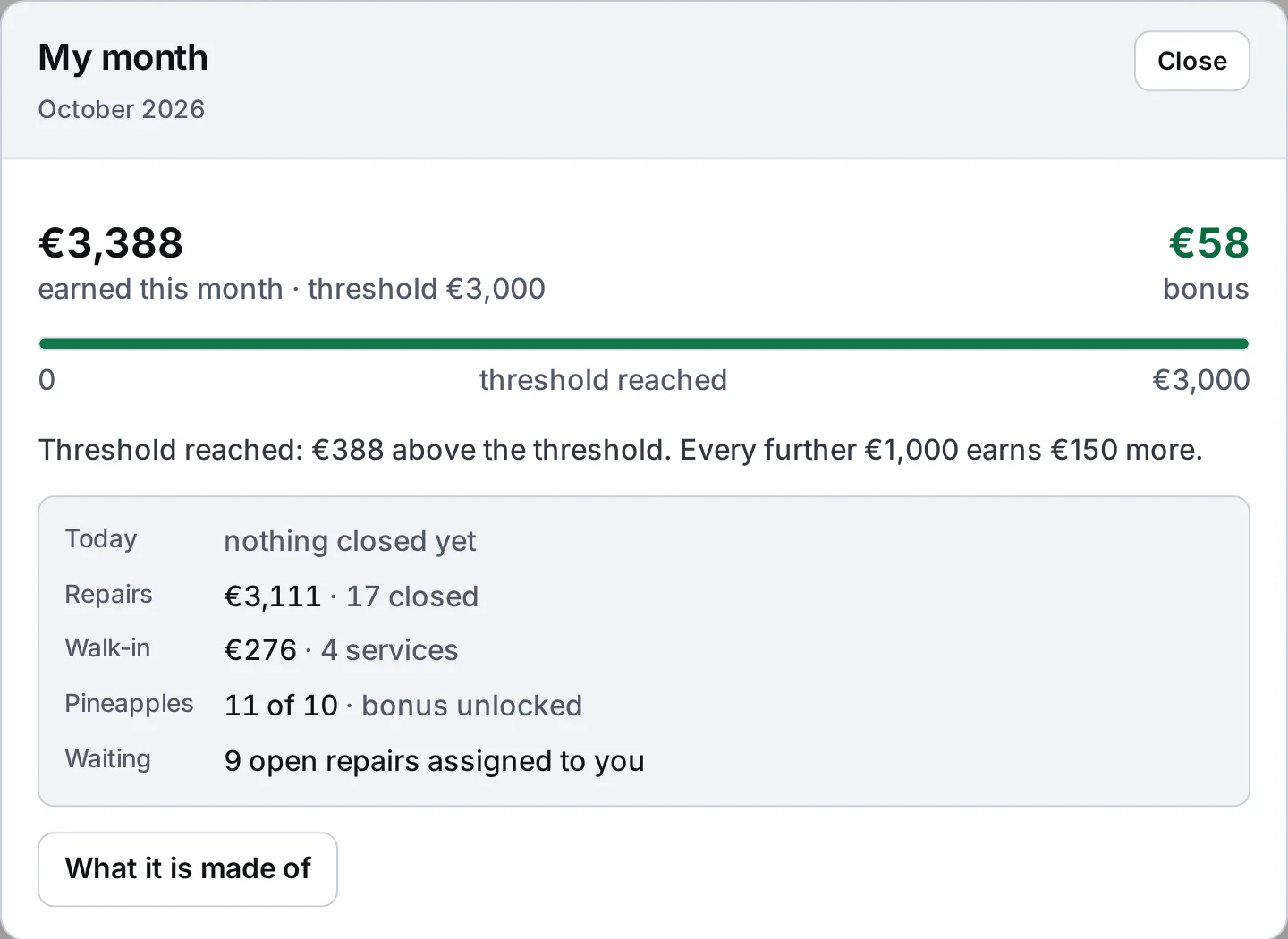
The program calculates the bonus, the company pays it. No customer data or fault descriptions go to the AI.
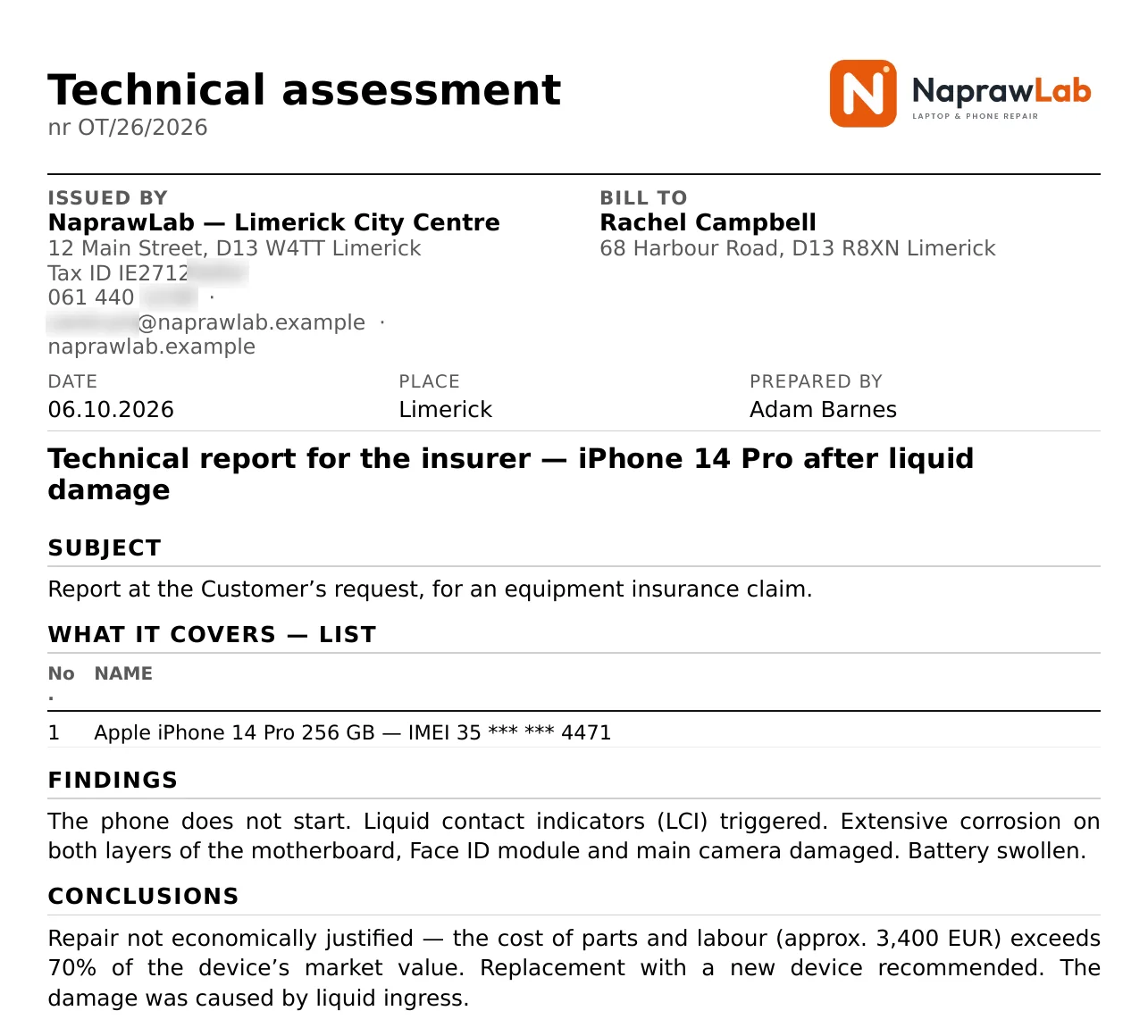
Technical assessments, reports and repair quotes with your logo.
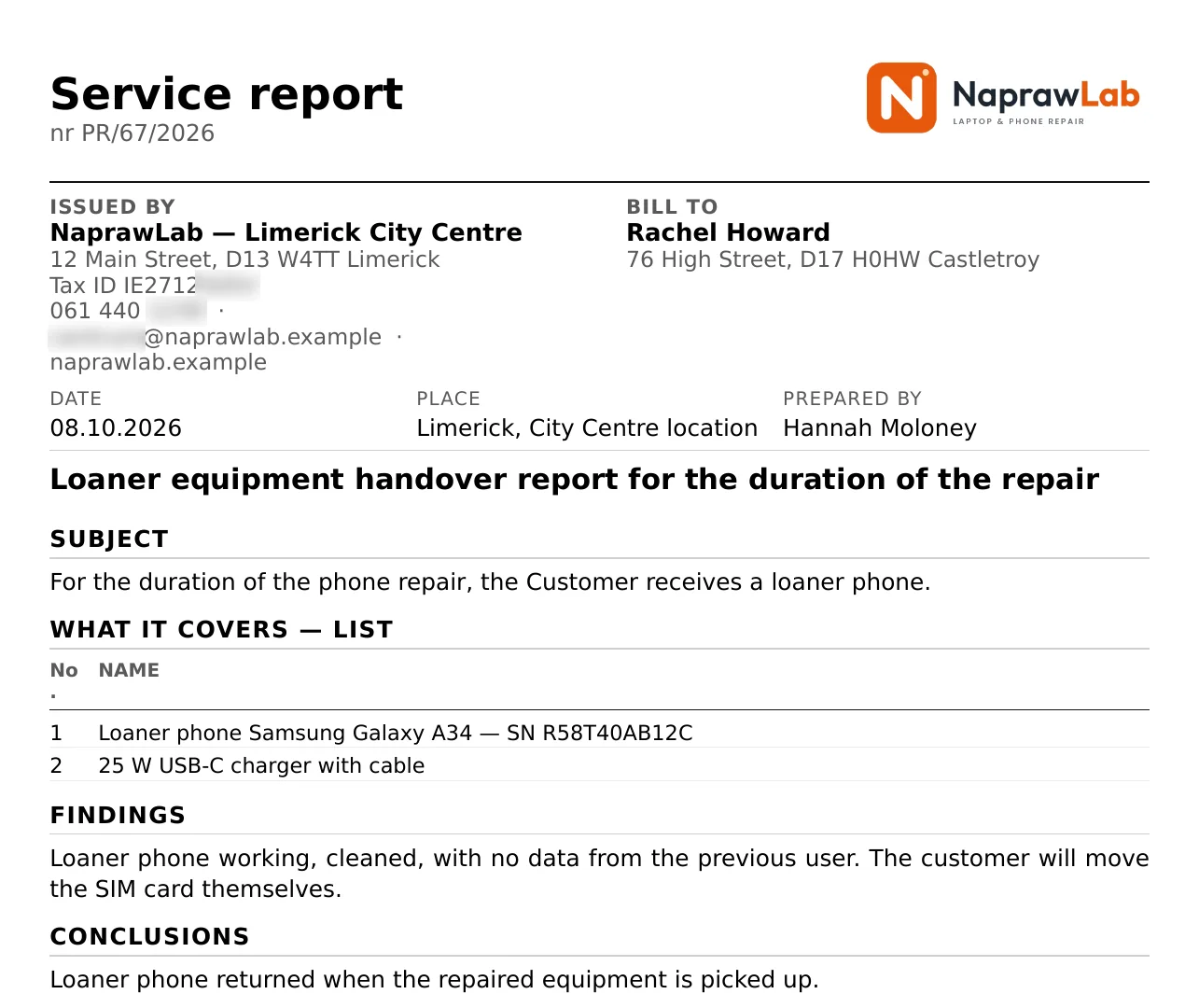
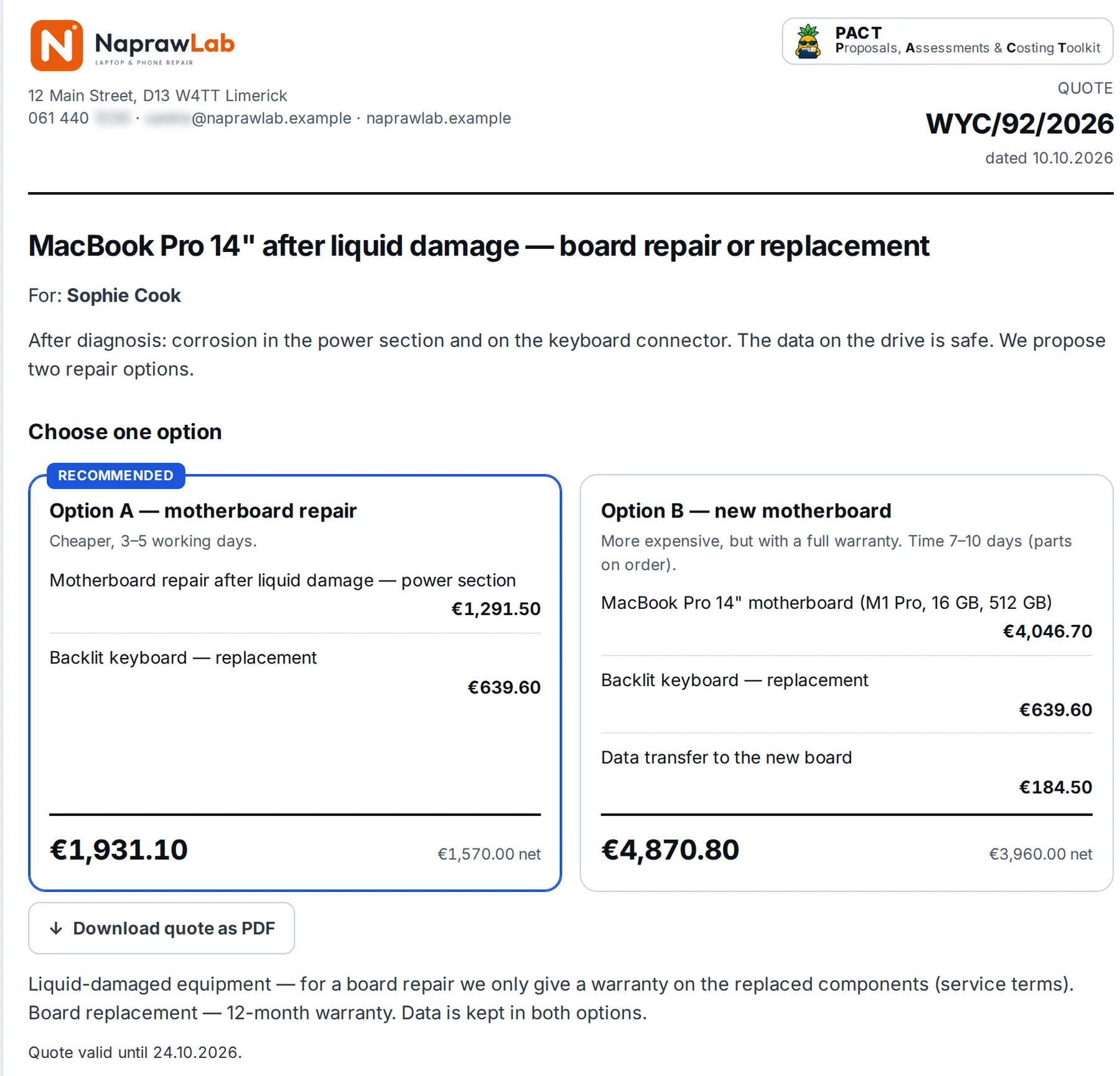
An insurer wants an assessment of a water-damaged phone, a customer gets a loan device for the duration of the repair, and with an expensive repair it’s worth giving them a choice. In PACT you do this from the repair card: AI prepares a draft from what’s already there, you correct it and send the PDF.
Till, revenue and net profit after parts costs.
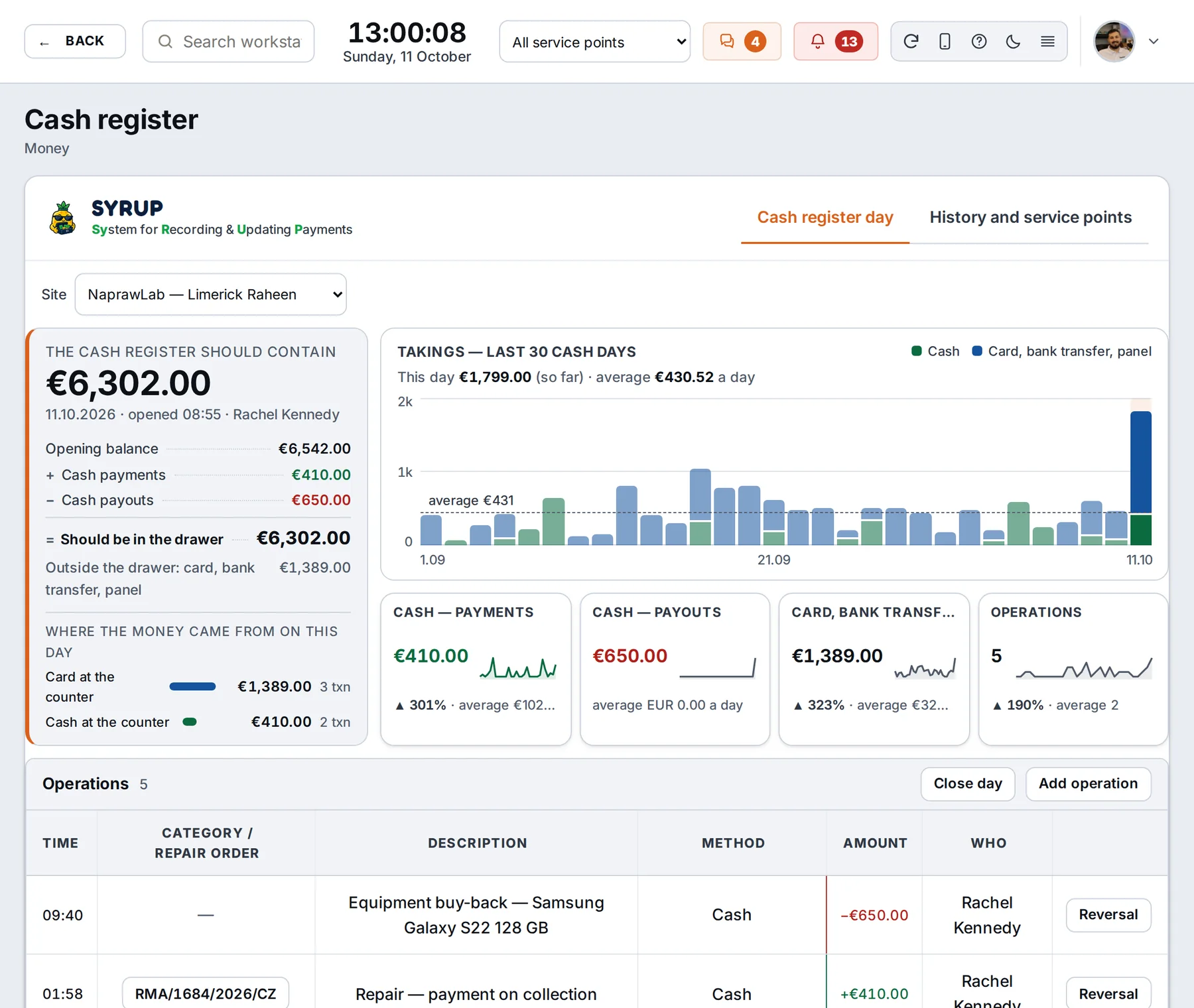
The dashboard shows what came in today, what’s still to be collected and what’s left after the cost of parts. The tiles also show: handed over and unpaid, not collected for over 14 days, waiting for over 30 days. Click a tile and you get a list with exactly the same number.
A repair list that shows the state of every job.
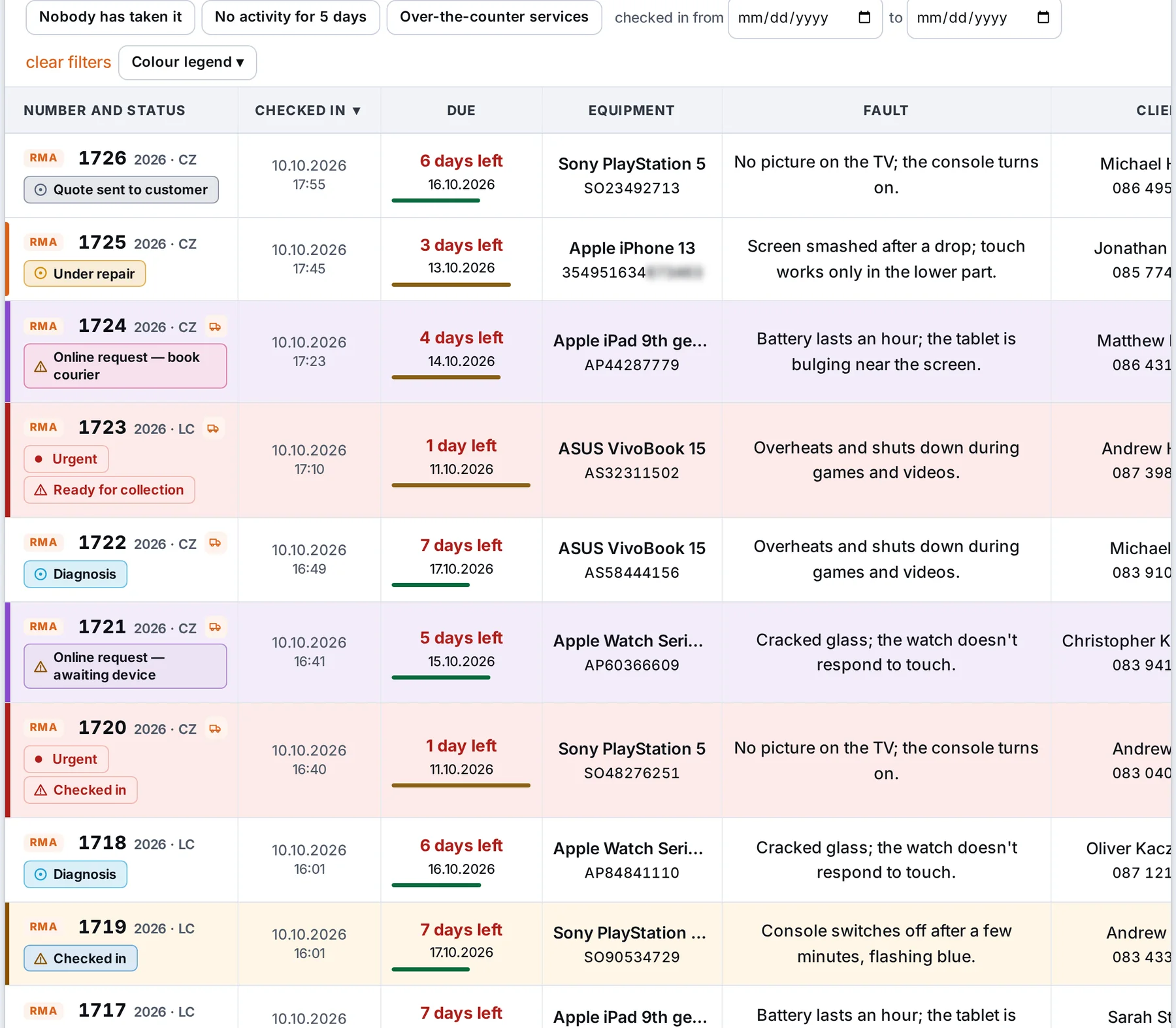
On the repair list you have the number with its status, time left to the deadline, the device, the fault, the customer, the technician and the payment state in one line. The queues “Nobody took it”, “No action for 5 days” and “Overdue” are one click away, and the scanner opens the card from the label.
A tutorial on every main screen.
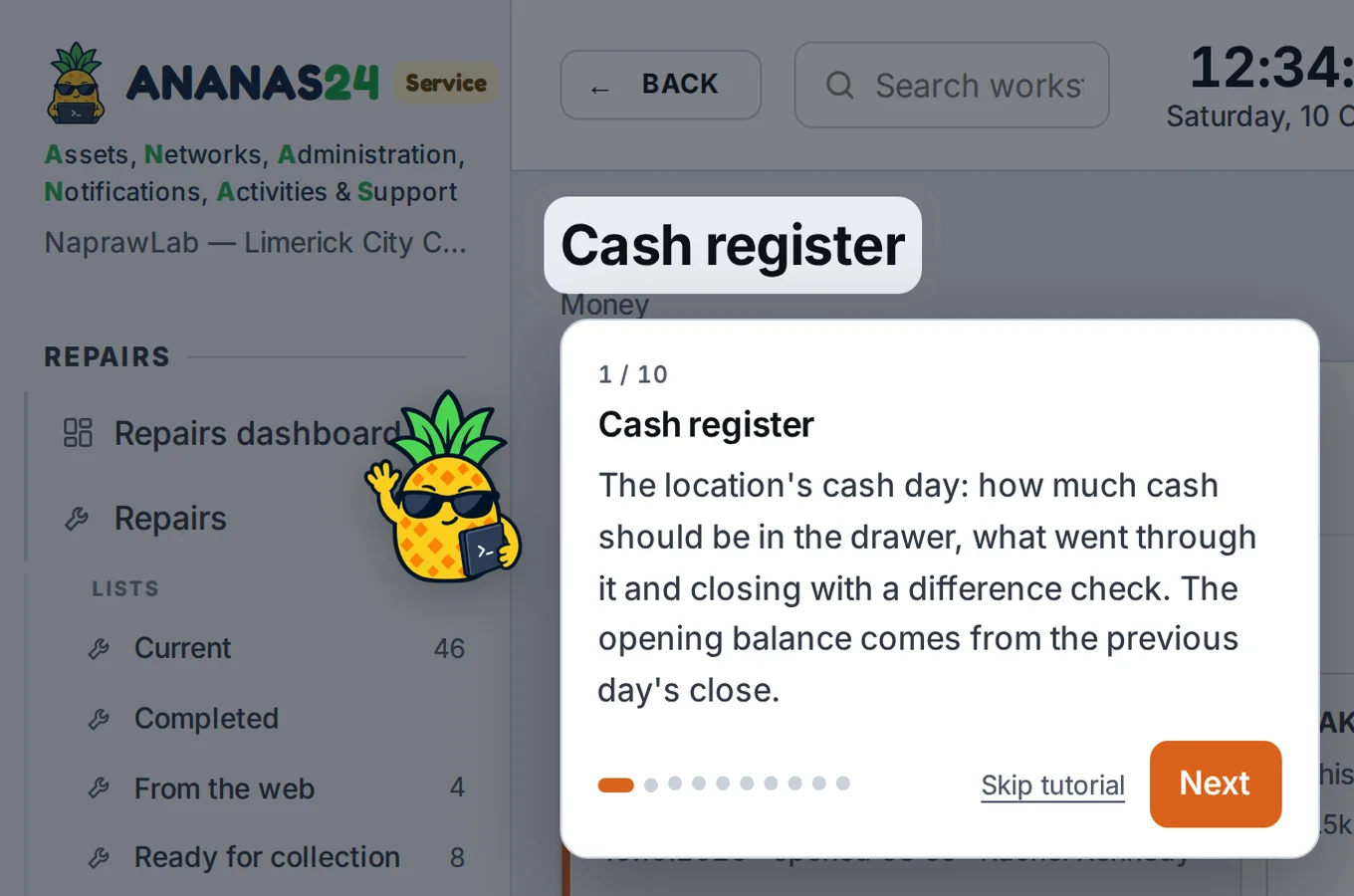
New staff member on a screen for the first time? Ananas highlights the buttons, tabs and tiles one by one and explains in two sentences what they’re for. At the end it gives one “try it yourself”, for example: click the filter.
Several repair locations in one program.
A technician’s account sees the jobs of their own location, the owner sees everything. You view statistics, the till and lists for one location or for all of them at once.
Already using another program? We’ll move you over.
We’ll move customers, devices and repair history from any popular program, as long as we get its database. Job numbering continues from your last number, and old, settled repairs don’t suddenly show up as debt.
Meanwhile you keep working on your old program as usual.
Questions, forms and printouts for the devices you repair.
You set up the check-in questions, the fields in the form on your website, statuses, text message content and printouts yourself, to suit what you repair. For a phone you ask for the lock code, for a coffee machine the cycle count and descaling.
Unusual line of work, or want someone to do it for you? We’ll set ANANAS up for your shop as part of onboarding.
The price depends only on the number of locations.
Technicians, customers in JUICE, repairs and photos are unlimited. Every plan has all the features.
Green
Ripe
Gold
More than 12 locations? Get in touch and we’ll work something out. Emails are included in the price; texts go via your own account with a provider from Poland.
Questions you probably have
Your question isn’t here? Write or call. You’ll get an answer from someone who works with ANANAS every day.
Do you also look after other companies’ IT? See ANANAS for IT companies.
See the demo.
Leave your name, email and company name, and you’ll get access to ANANAS with sample data straight away.